
Interaction Design for Spatially Augmented Projected Tabletop System in Design Thinking Processes
A projector-camera system transforms an ordinary table into a shared creative workspace. Physical sticky notes, gesture interaction, and an AI companion guide groups through collaborative brainstorming — without screens, wearables, or personal devices.
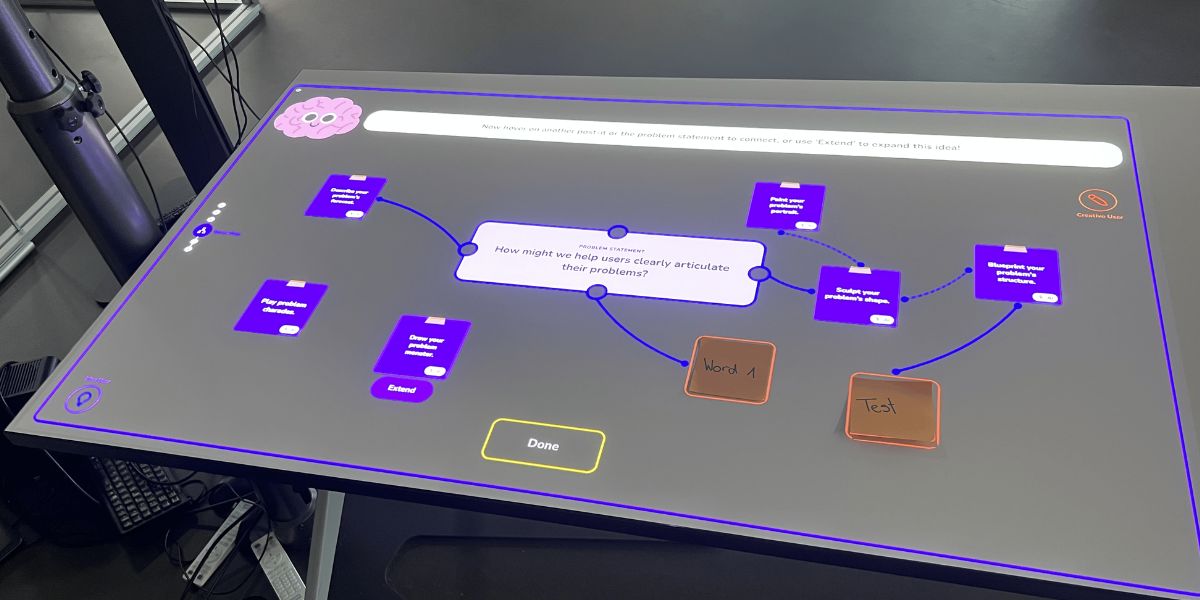
The Spatial Co-Creation Table in action during a user testing session at the Institute of Interactive Technologies, FHNW.
Initial situation
Digital collaboration today is overwhelmingly screen-dependent, creating isolated experiences that diminish face-to-face interaction. Most existing interactive tabletop systems rely on specialized touch-sensitive hardware or custom sensing infrastructure, making them costly and impractical for everyday environments. At the same time, Design Thinking workshops still depend heavily on analogue tools like sticky notes and whiteboards, with no digital support for organizing, evaluating, or documenting ideas during the session.
Problem statement / Project goal
The goal of this project is to develop and evaluate a screen-free, projector-based spatial interface for collaborative Design Thinking. Using only standard hardware — a projector, an Azure Kinect camera, and a laptop — the system projects an interactive workspace onto an ordinary table where 2–4 participants brainstorm together using physical sticky notes, voice input, and hand gestures. An anthropomorphic AI companion called the "Brain" guides groups through a structured six-phase workflow: from problem definition through brainstorming, clustering, mind mapping, and voting to an automatically generated session recap.
Brainstorming
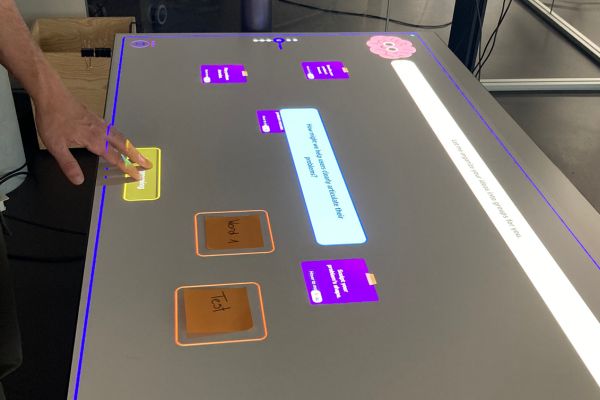
Participants write ideas on physical sticky notes. The overhead camera detects each note and projects an orange halo as recognition feedback.
Mind Map
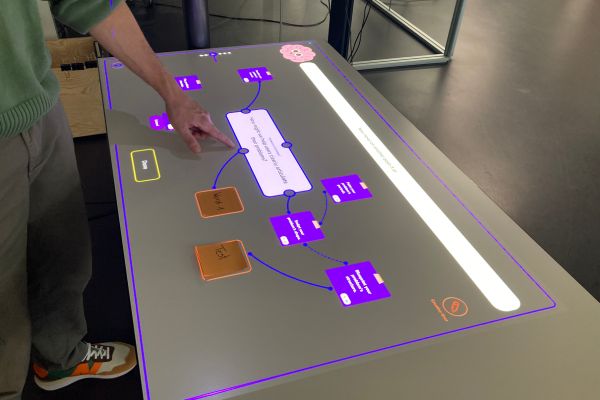
Participants create projected branches between ideas by hovering over post-its. An "extend" button lets the AI generate related ideas on demand.
Recap Dashboard
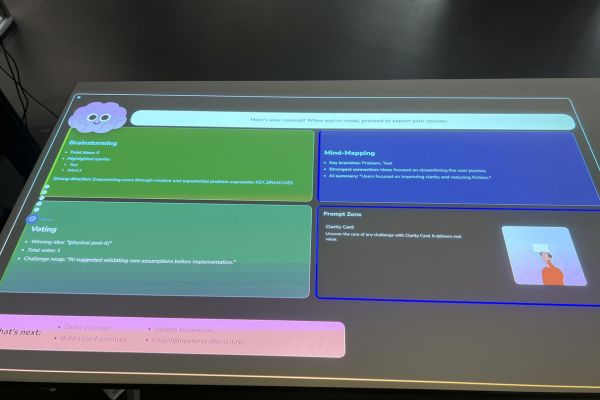
The session concludes with an AI-generated summary: brainstorming highlights, mind map connections, voting outcome, a concept sketch, and next steps.
Solution developed and its benefits
The developed system combines a Python backend for computer vision (OpenCV, MediaPipe, PaddleOCR) with a React/TypeScript frontend, communicating in real time via WebSocket. A projector and Azure Kinect camera mounted above the table handle both display and tracking — no specialized table hardware is needed.
Six groups with a total of 17 participants completed full brainstorming sessions using the prototype. The results confirmed that the concept works: physical sticky notes with projected halos were perceived as the most natural and intuitive interaction, closely resembling the familiar feel of traditional brainstorming. The AI companion was most effective when participants could control it — triggering suggestions on demand rather than receiving unsolicited input. The structured six-phase workflow successfully replaced the need for a human facilitator, guiding groups from problem definition all the way to a final concept. Features like the AI challenge mode, where the Brain critically evaluates the winning idea before commitment, and the automatic recap dashboard were highlighted as clear advantages over traditional pen-and-paper methods. Several participants stated they could see themselves using the system in a real work context.
Testimonial
«I could imagine using this system in a real work context. The ideas generated by the AI were more innovative than those of the group itself.»
User Testing Participant
Key terms
- Spatial Augmented RealityProjected digital content on physical surfaces without headsets
- Tangible User InterfacePhysical objects controlling digital information
- PaddleOCROCR for handwritten text on sticky notes
- MediaPipe HandsReal-time hand tracking for gesture interaction
- Design ThinkingFramework structuring the six workshop phases
- Human-AI Co-CreativityAI as controllable, role-shifting creative partner
Customer
Institute of Interactive Technologies IIT
University of Applied Sciences Northwestern Switzerland FHNW
Campus Brugg-Windisch
www.fhnw.ch/iit
Team
Lukas Tadeu
Caspar Mücke
Advisor
Prof. Dr. Kevin Kim