
KaraokeEdu
A cross-platform mobile application for singing education — students practice with instrumental tracks, record their performances, and submit them for structured teacher and peer feedback.
KaraokeEdu — mobile karaoke recording application for secondary school music education
Initial situation
Music teachers in Swiss secondary schools (grades 6–9) are responsible for evaluating students who must prepare and present a song as part of their grade 9 assessment. However, class time is limited, students must rehearse independently without direct guidance, and teachers often oversee several classes simultaneously. This makes it difficult to track each student's individual progress or sustain motivation for independent practice.
Existing tools do not fully address this need. Consumer karaoke apps such as Smule introduce public profiles and social feeds that raise privacy concerns for minors and create distractions. Vocal coaching apps such as Simply Sing or Sing Sharp require monthly subscriptions and replace the teacher with automated AI feedback. Technical tools such as Moises are designed for music professionals, not teenagers. No existing solution provides a teacher-managed assignment workflow with student recording, peer review, and direct teacher feedback — all in one place.
Problem statement / Project goal
The goal of this project was to design, build, and evaluate a cross-platform mobile karaoke application purpose-built for the secondary school music classroom. The system needed to support two distinct user roles — student and teacher. Students should be able to access backing tracks, adjust pitch and tempo to suit their voice, record their singing over the instrumental, and submit recordings to class assignments. Teachers should be able to manage a song library, create and publish assignments, review all student submissions, and provide written or audio feedback.
Three research questions shaped the project: (A) how to implement customisable instrumental playback with real-time pitch and tempo control on a cross-platform mobile client; (B) how to design a user interface that attracts and engages teenagers using motivational design principles; and (C) how students and teachers perceive the developed application in terms of usability and support for the learning and assessment process.
Student View
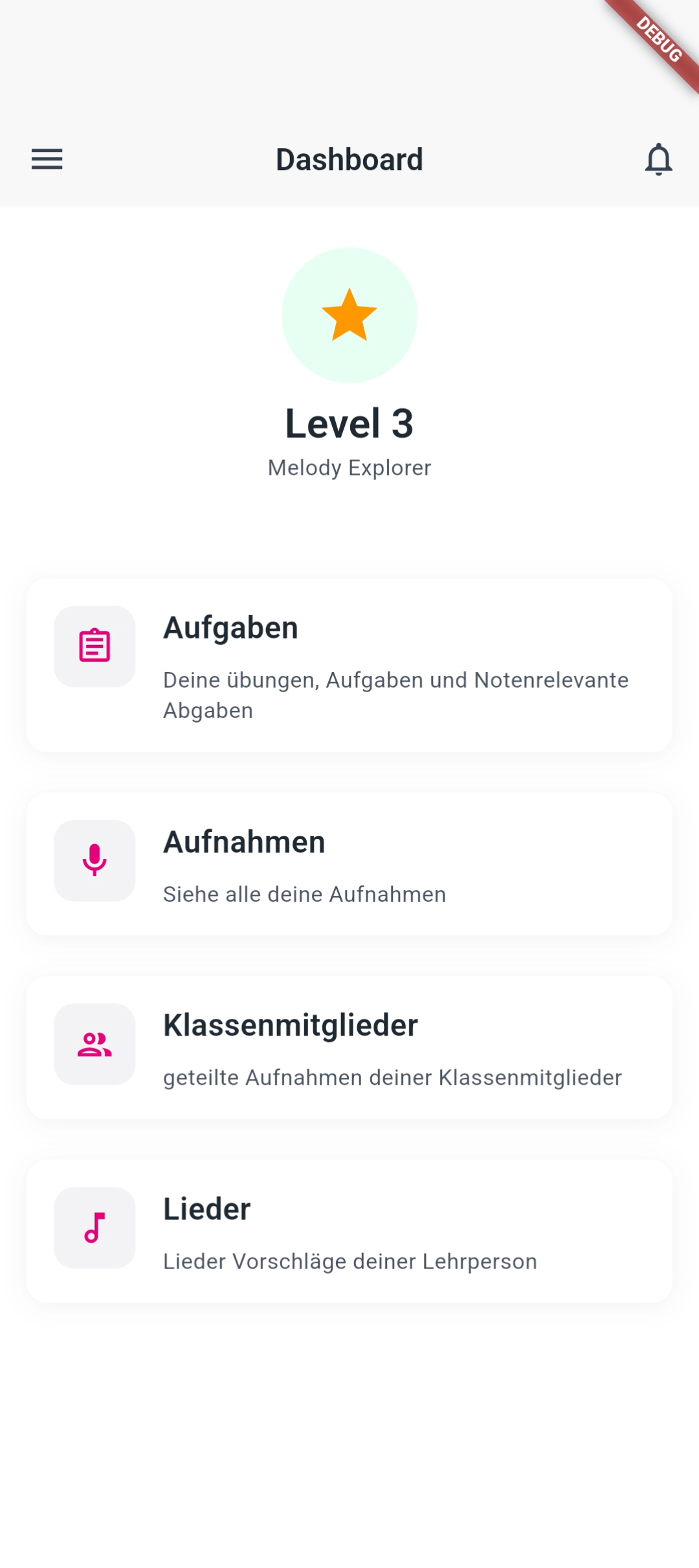
Students see their assignments, song library, and classmates' recordings from a single dashboard. Navigation is designed to be intuitive for teenagers with no prior audio experience.
Recording Screen
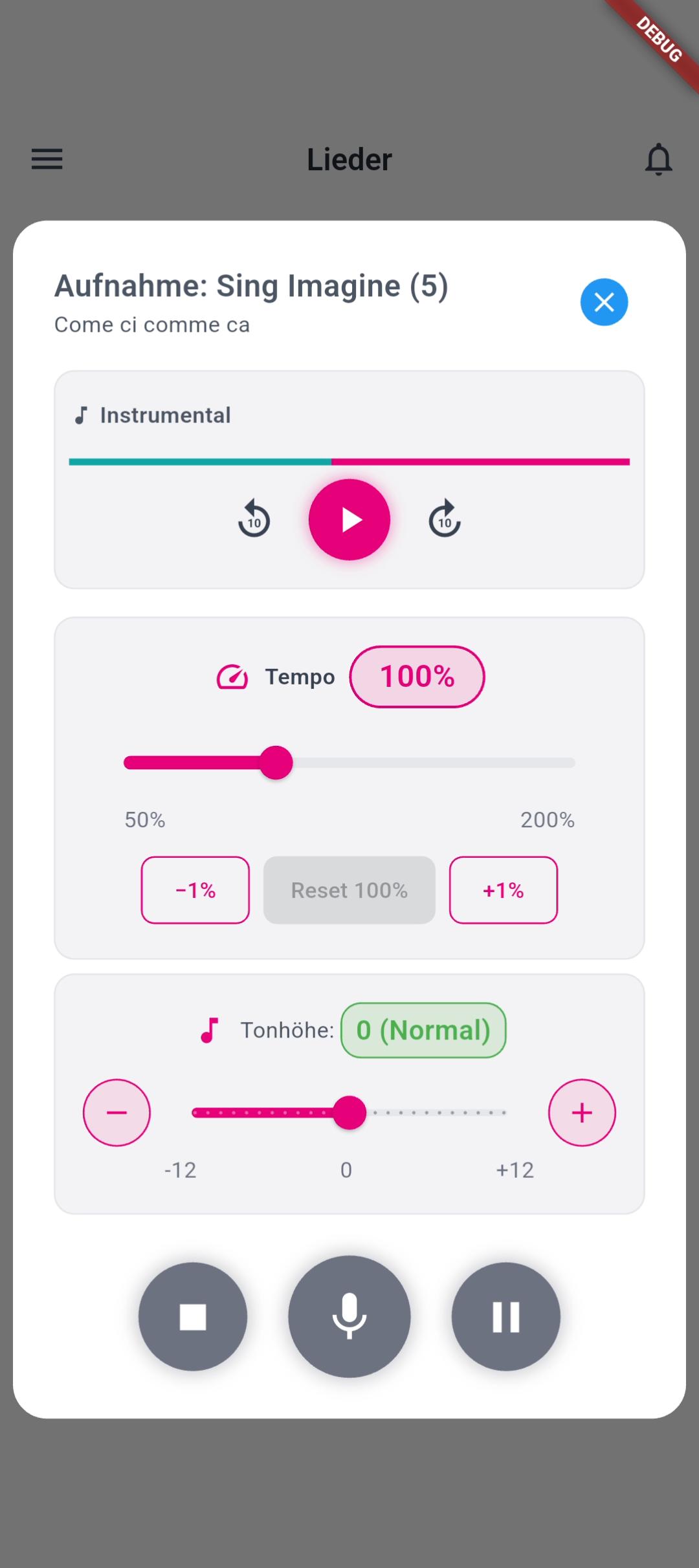
Students adjust pitch (±12 semitones) and tempo (50–200%) using sliders before and during playback, then record their voice over the instrumental backing track.
Assignment View
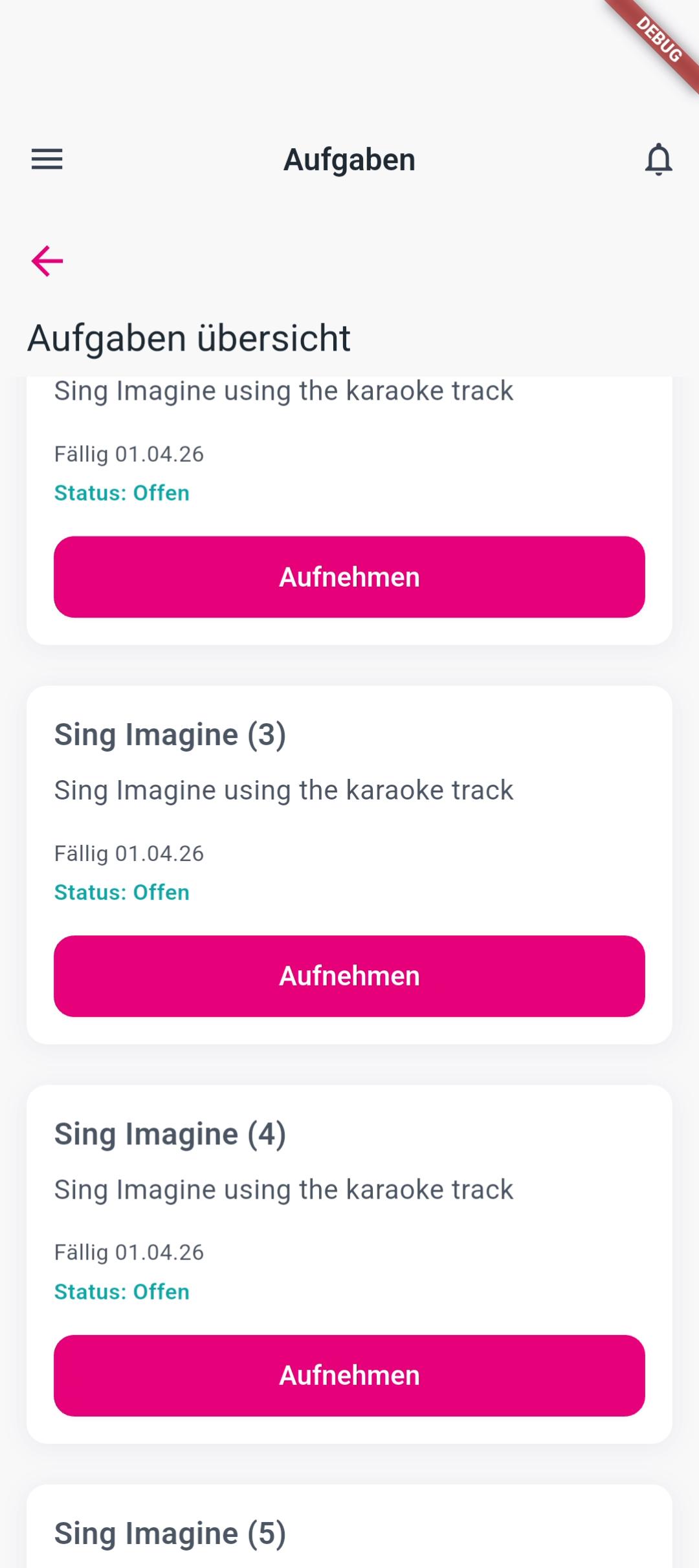
Students get an overview of all assignments teachers have assigned to them.
Solution developed and its benefits
KaraokeEdu is a Flutter-based mobile application with a German-language interface designed for Swiss secondary school students aged 12–16. It connects a cross-platform Flutter client to a Spring Boot backend and a dedicated Python audio processing microservice, with persistent data stored in MySQL and the full system deployed on Microsoft Azure.
When a teacher adds a song via a YouTube link, the audio processing microservice downloads the track using yt-dlp and automatically separates the vocal and instrumental stems using the UVR-MDX-NET-Inst_HQ_3 neural network model — processing a typical 2 minute 39 second track in approximately 2 minutes 33 seconds on CPU hardware. The clean instrumental backing track is then immediately available for students to practise with. Students adjust pitch (±12 semitones, using the equal-temperament ratio 2semitones/12) and tempo (50–200% via WSOLA through the just_audio Flutter package), then record and submit their performance.
- Real-time pitch control: ±12 semitone offset slider, applied via Sonic time-domain pitch shift
- Tempo control: 50–200% playback speed without pitch distortion via ExoPlayer and the WSOLA algorithm
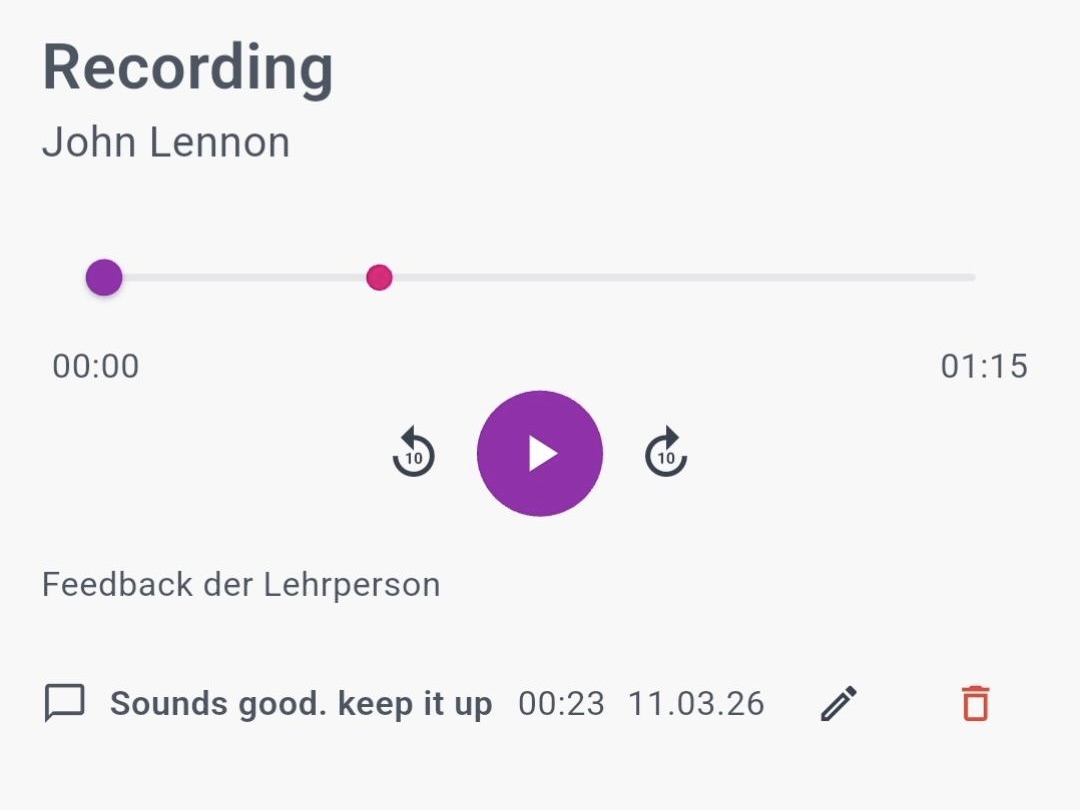
- In-app recording with preview, re-record, and submission to teacher-created assignments
- Peer feedback through predefined structured dropdown comments
- Teacher feedback via written text or recorded audio note, with timestamped markers
- Role-based access with separate student and teacher dashboards (JWT authentication)
- Notification system for new assignments, submissions, and incoming feedback
The application was evaluated across two rounds of user testing. The Figma prototype achieved a System Usability Scale (SUS) score of 70.6. The fully implemented application reached 100% task completion across all student participants, was rated 5.0/5 for being modern and age-appropriate, and pitch and tempo controls scored 4.4/5 for clarity and usefulness.
Testimonial
«Very Cool!»
Student at the User Test
Key terms
- ClientFlutter (Dart), iOS & Android
- BackendSpring Boot, Spring Security (JWT), Spring Data JPA / Hibernate, Maven
- Audio microservicePython, FastAPI, audio-separator (ONNX), FFmpeg, yt-dlp
- DatabaseMySQL 8.x with Liquibase schema versioning
- DeploymentMicrosoft Azure
- Design methodUser-centred design, Figma prototyping, System Usability Scale
Customer
Gabriel Imthrun
Professur für Musikpädagogik im Jugendalter
Pädagogische Hochschule FHNW
Team
Odelia Sajtschik
Ajsha Seewer
Advisors
Prof. Dr. Kevin Kim
Manuel Riedi