
Synchronisation of design and implementation of Figma design systems
Research and implementation of a bidirectional workflow between Figma design tokens and CSS custom properties via a Figma Plugin called Kolibri Sync.
Initial situation
The implementation of modern web applications relies on the close collaboration between design and development. While designers work in design tools like Figma, developers translate these designs into functioning user interfaces using HTML and CSS. Despite this shared goal, design tokens such as color, spacing, and typography are often duplicated across tools. Manual updates introduce drift between design files and CSS, creating inconsistencies and rework. As systems grow, the absence of a synchronized workflow slows iteration and complicates maintenance.
Problem statement
Within the Kolibri web UI toolkit, color tokens were implemented in CSS but not represented in Figma, making alignment slow and error‑prone. Manual synchronization requires repetitive updates across files and tools, consuming significant time and diverting effort from feature work. Changes in one environment did not reliably propagate to the other and obscuring the Source of Truth. A practical, lightweight method is needed to keep design tokens synchronized across design and code and to reduce ongoing maintenance overhead. This brings us to our central research question:
How can a synchronized workflow between Figma design systems and CSS be established to maintain a clear Source of Truth (SoT)?
Goal
This thesis proposes and implements Kolibri Sync, a Figma plugin that synchronizes color tokens between Figma and CSS in both directions. The objective is to minimize translation errors, reduce manual work during handoff, and clarify the SoT for teams working with design systems. The plugin was designed in alignment with the Kolibri toolkit’s CSS architecture and modern CSS capabilities.
Create Color Palettes
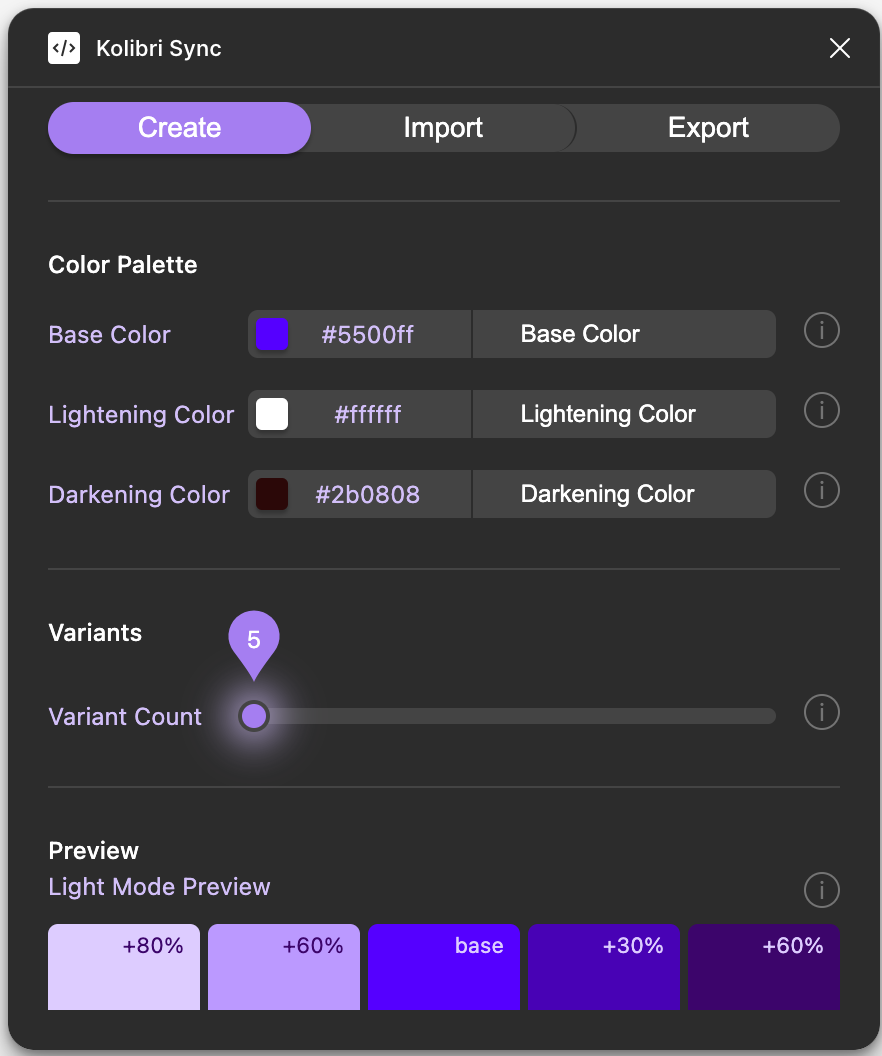
Generate structured color palettes directly in Figma, including coordinated light and dark variants and example components for immediate evaluation.
Import CSS into Figma
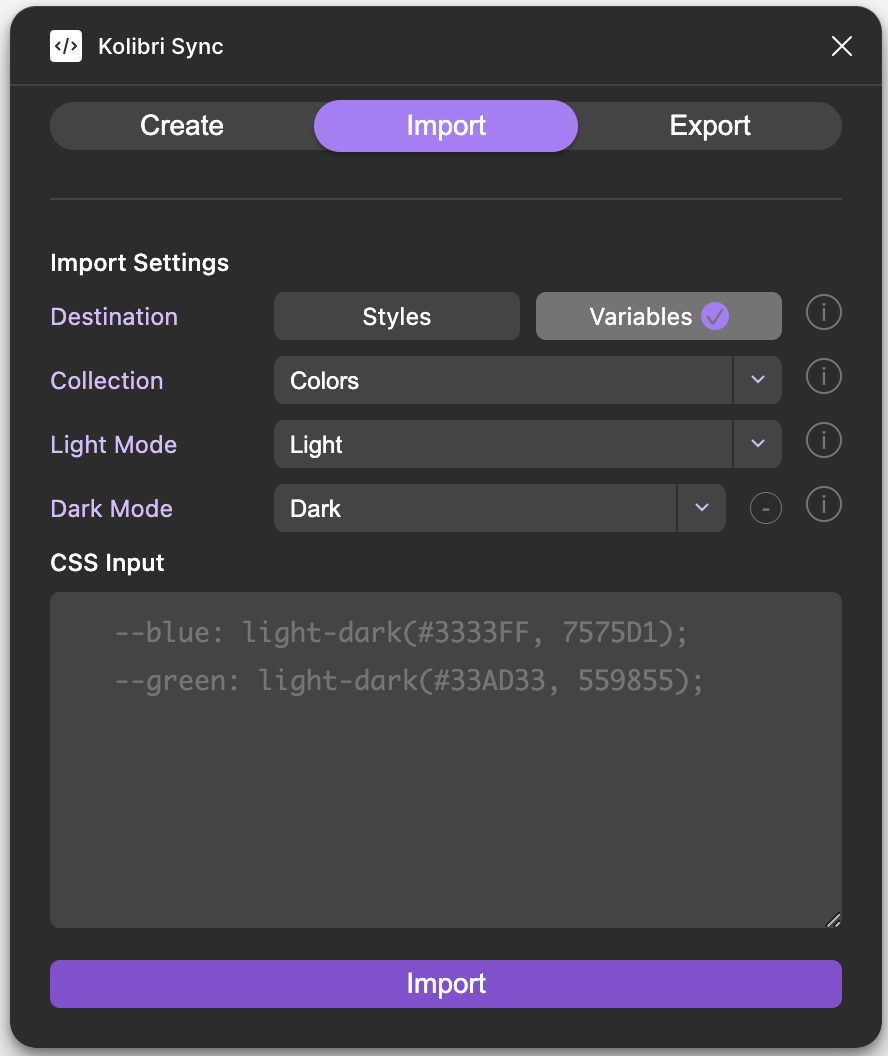
Convert CSS custom properties into Figma color variables or styles with support for color-mix(), light-dark(), and var() references, plus batch import of large variable sets in HEX, RGB, or HSL.
Export Figma Tokens as CSS
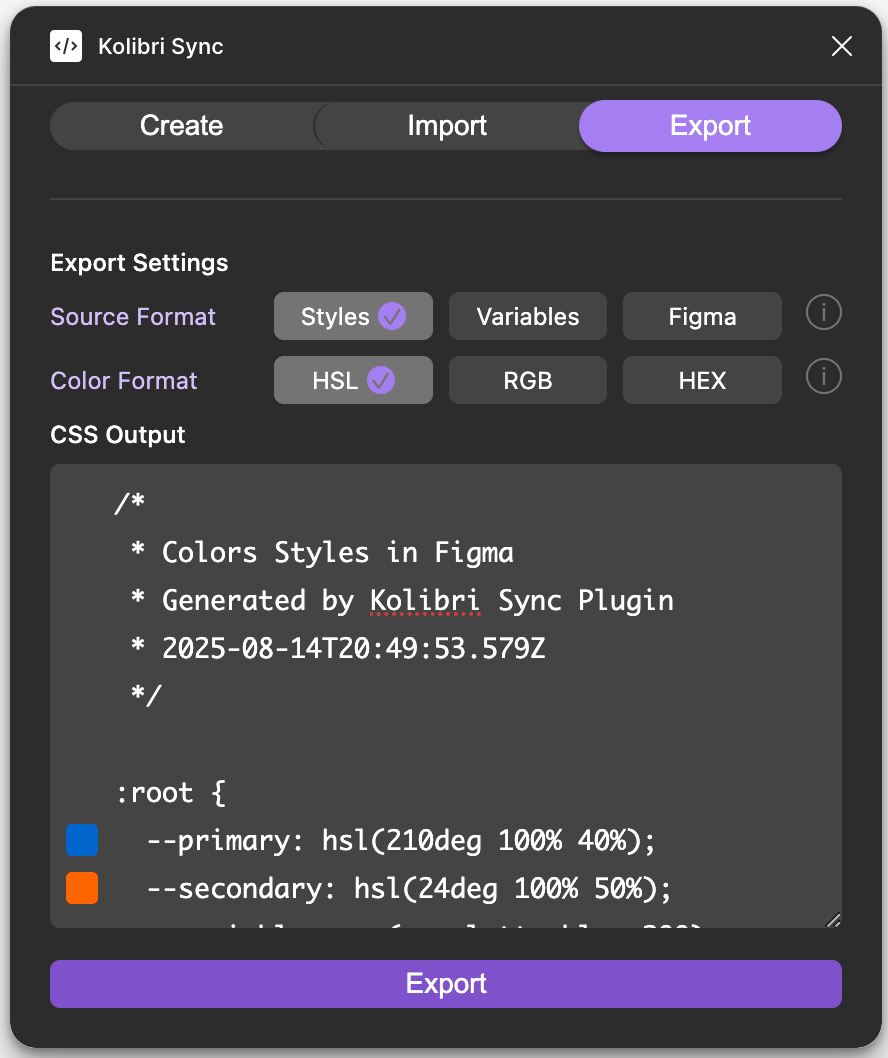
Produce production‑ready CSS custom properties from Figma color variables and styles, with organized, multi‑format output.
Solution developed and its benefits
Kolibri Sync enables bidirectional synchronization of color tokens between Figma and CSS. The plugin supports three core workflows: create structured color palettes, import existing CSS tokens into Figma, and export Figma tokens to production‑ready CSS. The implementation emphasizes a lightweight architecture (no npm dependencies), modern CSS features, and an import/export process that preserves naming, grouping, and references.
- Automates import and export to eliminate repetitive copy‑paste and lower error rates.
- Keeps color tokens aligned across design and code, improving handoff and maintenance.
- Incorporates modern CSS features such as color-mix() and light-dark() to simplify theming and blending.
- Enables structured palette generation that accelerates early design decisions, including dark‑mode variants.
- Uses a lightweight, dependency‑free setup that reduces configuration overhead.
Key terms
- keyword 1Figma
- keyword 2CSS
- keyword 3Javascript
- keyword 4Figma Plugin
- keyword 5UI/UX
- keyword 6Design Token
- keyword 7no npm
- keyword 8Colors
Customer

Kolibri
Prof. Dierk König
Link
to Kolibri