
Supporting collaborative workspace through an interactive display
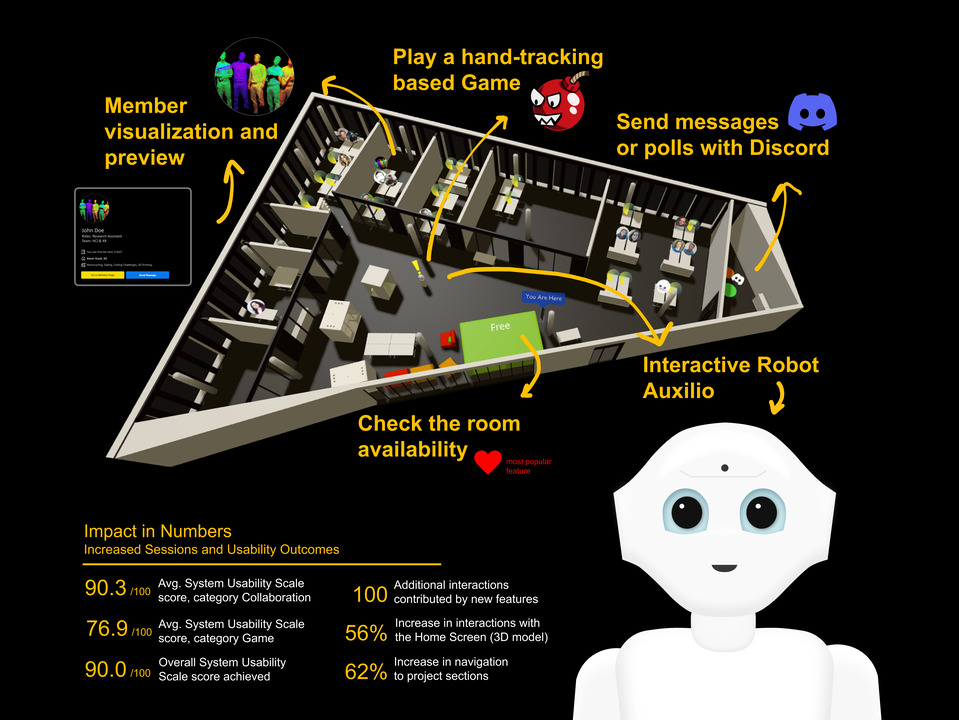
The IIT-Display has transformed from a static showcase into a practical tool that supports internal collaboration and daily interactions. By integrating technologies such as Discord.js, Microsoft Graph API, and gesture recognition, it now serves as a valuable resource for institute members.
Initial situation
The Institute for Interactive Technologies (IIT) at the University of FHNW initially developed a public interactive display primarily to showcase projects and organisational information to external visitors. Located near the entrance to the institute, the display provided basic information about projects and a detailed 3D model of the premises. Despite these features, internal members of the Institute rarely interacted with the display due to its limited practical relevance. To address this gap, the project aimed to extend the functionality of the display by integrating collaborative tools, interactive game and other useful features for internal users.
Problem statement / Project goal
The display remains largely unused within the office space. The project aims to transform the display into a more versatile tool by integrating interactive and collaborative functionalities. Key research questions include how collaboration tools such as real-time communication, desk sharing and room booking can be integrated into the IIT display, and what impact this integration has on usage and user experience. The aim was to transform the under-utilised display into a dynamic interactive tool, making it valuable for day-to-day collaboration and communication between institute members. Specifically, the project aimed to
- Integrate real-time collaboration tools (room availability and messaging)
- Develop interactive features, including a game.
- Improve practical functionality such as easy access to cafeteria menus and centralised communications.
- Evaluate the impact of these new features on display usage, usability and workplace dynamics.
Programming Frameworks and Tools
The project utilizes a combination of TypeScript and JavaScript as the primary programming languages. The frontend framework is Vue.js, which is known for its reactive and component-based architecture, making it suitable for building interactive user interfaces. The backend framework is Express.js, a minimal and flexible Node.js web application framework that provides a robust set of features for web and mobile applications. Build tools include Vite and the TypeScript Compiler (tsc). Additionally, Three.js is used for rendering 3D graphics in the browser, leveraging WebGL to create interactive 3D and 2D graphics.
Room availability information
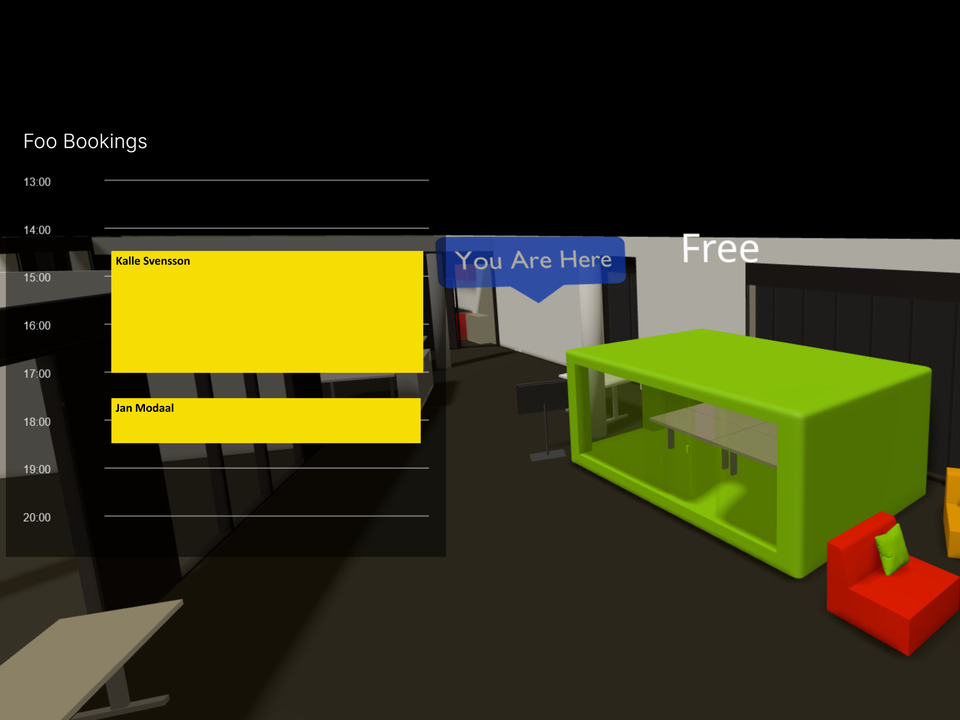
Users can check meeting room availability. The schedule shows yellow bars for reservations, while room colors (red, orange, green) indicate its status: free, soon occupied, or occupied.
Robot lunch call
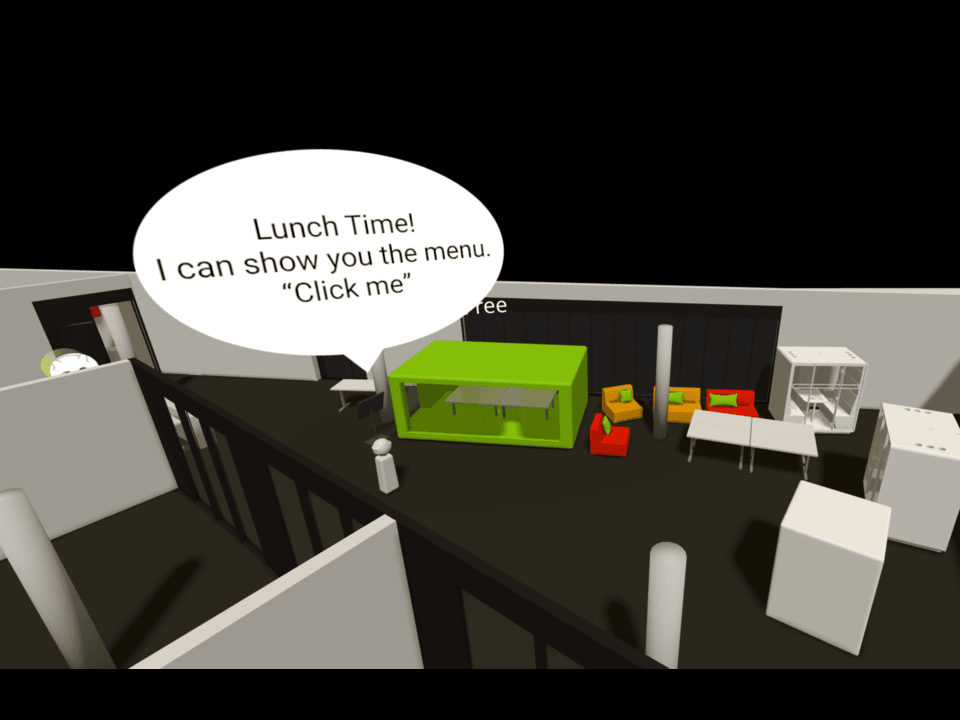
The Auxilio-inspired robot walks through the room and can be interacted with. During the lunch break, it makes an announcement and asks users to look at the canteen menu to encourage engagement.
Comparison Usage
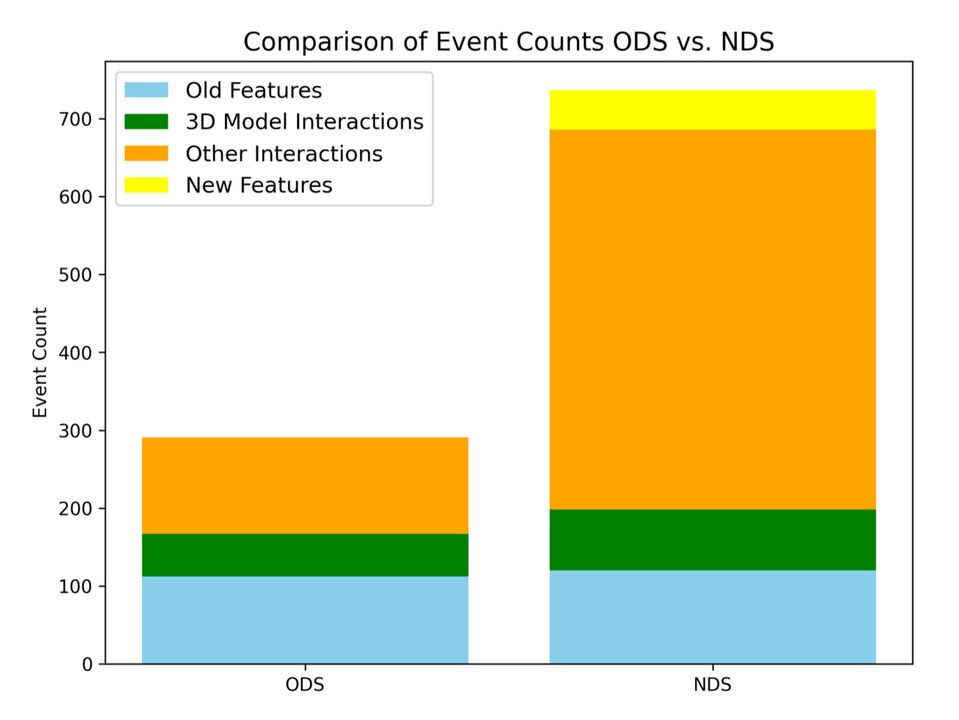
Existing feature usage remained similar, while new features added 50 interactions. General interactions nearly quadrupled, with room information driving 50% of new feature usage.
Solution developed and its benefits
The project has added new features to support collaboration at IIT. The latest version of the display allows access to booking information for the local meeting room, integration with Discord for messaging and polls, and a gesture-controlled game. These features aim to increase the practical utility of the display for Institute members and visitors.
- Room booking information: Users can quickly check if the local meeting room is available, see who booked the room, and see bookings for the next few hours.
- Discord integration: Users can send direct messages to institute members, create polls and receive live feedback on the voting process.
- Gesture-controlled game: A fun, interactive game that users can play during breaks to increase engagement and interaction.
- Lunch Menu Access: Quick access to the cafeteria's weekly lunch menu, allowing users to plan their meals and coordinate with colleagues.
- Interactive 3D model: Improved navigation and interaction within the 3D model of the institute, making it easier to locate members and access information.
The introduction of new features led to a noticeable increase in user interaction, indicating significant initial engagement. Usability testing resulted in a high System Usability Scale (SUS) score of 90 out of 100, confirming an intuitive and user-friendly experience. Interviews with Institute members highlighted the significant value of the new collaborative features, particularly the centralised room availability information. Although usage levels returned to previous levels over time, the overall feedback emphasised that the enhanced display had successfully established itself as a valuable, integrated component of the Institute's collaborative workspace.
Key terms
- Discord.jsA Node.js module for interacting with the Discord (a communication platform) API.
- Express.jsNode.js framework for backend services and APIs.
- Microsoft Graph APIA RESTful API that allows developers to access Microsoft 365 data.
- Node.js.jsA JavaScript runtime that allows running JavaScript code outside a web browser.
- System Usability Scale (SUS)A standard for evaluating usability to determine how user-friendly the developed system is.
- Three.jsA JavaScript library for rendering 3D graphics in the browser.
- ViteA fast build tool for modern web development.
- Vue.jsJavaScript framework for building reactive user interfaces.
- WebGLJavaScript API for rendering 3D and 2D graphics in browsers.
Team
Stéphanie Glaser
Carolin Mäder
Advisor
Prof. Dr. Kevin Gonyop Kim
Luca Fluri