
Exploring 3D-Artefacts in the Web
Only a fraction of a museum's collection is ever on display. This project makes the rest explorable online: high-resolution 3D scans you can annotate, measure, relight and slice open; directly in the browser, no plugins required.
Cultural heritage institutions hold vast collections of physical artefacts, yet only a fraction of them are ever accessible to the public at any given time. Digitising these objects in 3D makes it possible to explore them online, but most existing web viewers either support passive viewing only or require specialised software. Reference projects such as the Smithsonian Institution's 3D digitalisation initiative served as inspiration, though the exact scope of the available artefact data was still open at the start, so research and iterative exploration shaped the direction of the project as much as fixed requirements did.
Problem statement / Project goal
The goal was a functional web prototype that lets both experts (archaeologists, museum curators, conservators) and non-expert visitors meaningfully explore, analyse and annotate 3D objects directly in a modern desktop browser, without plugins or prior technical knowledge. Three research questions structured the work: which web-based 3D file formats and rendering frameworks best support performance, accuracy and extensibility; how a single interface can serve specialist and non-expert audiences at once; and to what extent established open standards can represent artefacts together with spatially anchored annotations and contextual metadata.
Material Presets
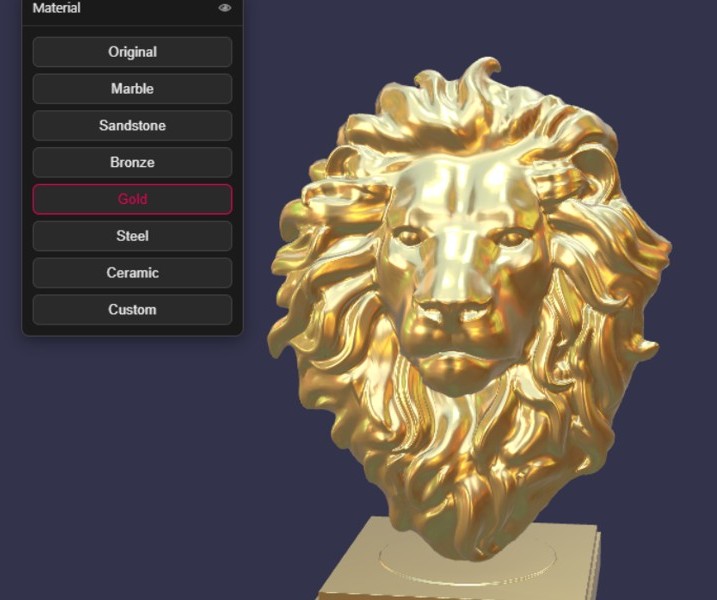
Re-render the same artefact in marble, bronze, gold or steel with one click.
Measurement
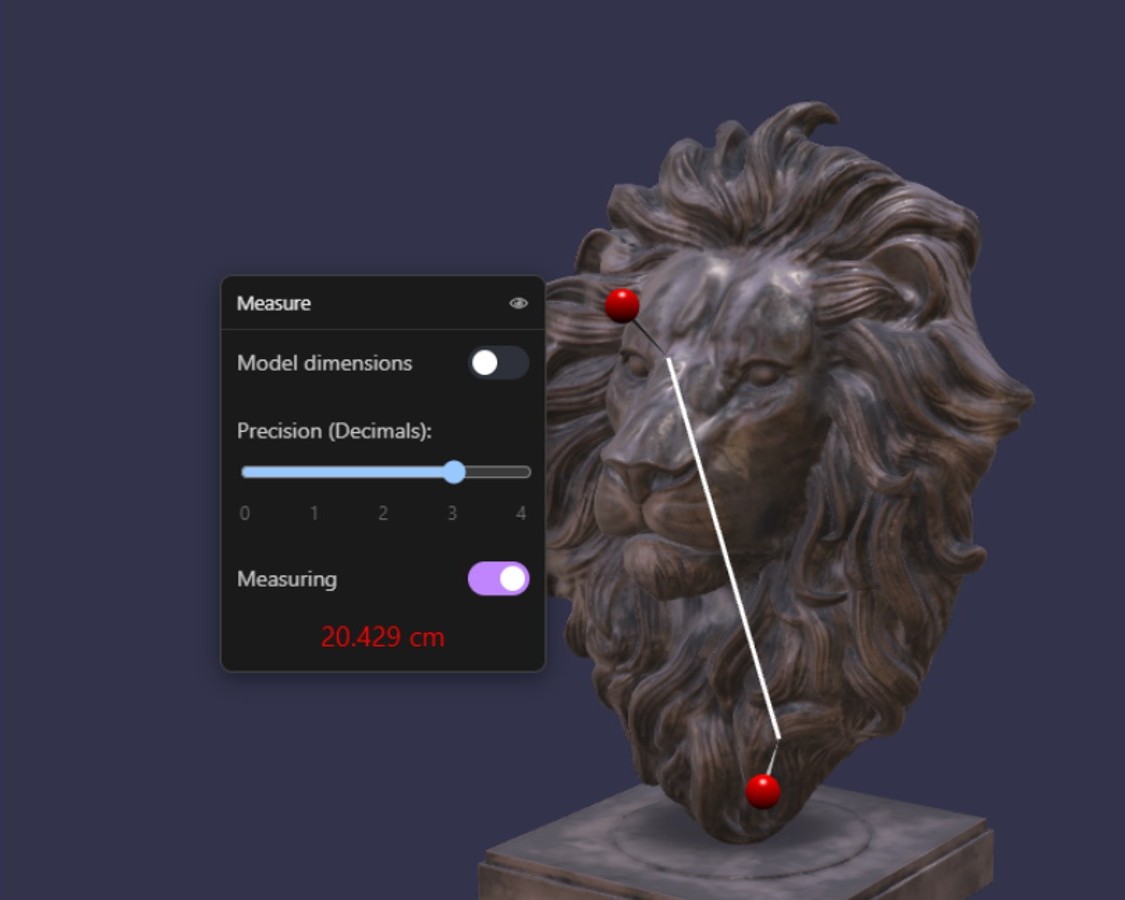
Measure the distance between any two points on the artefact.
Lighting
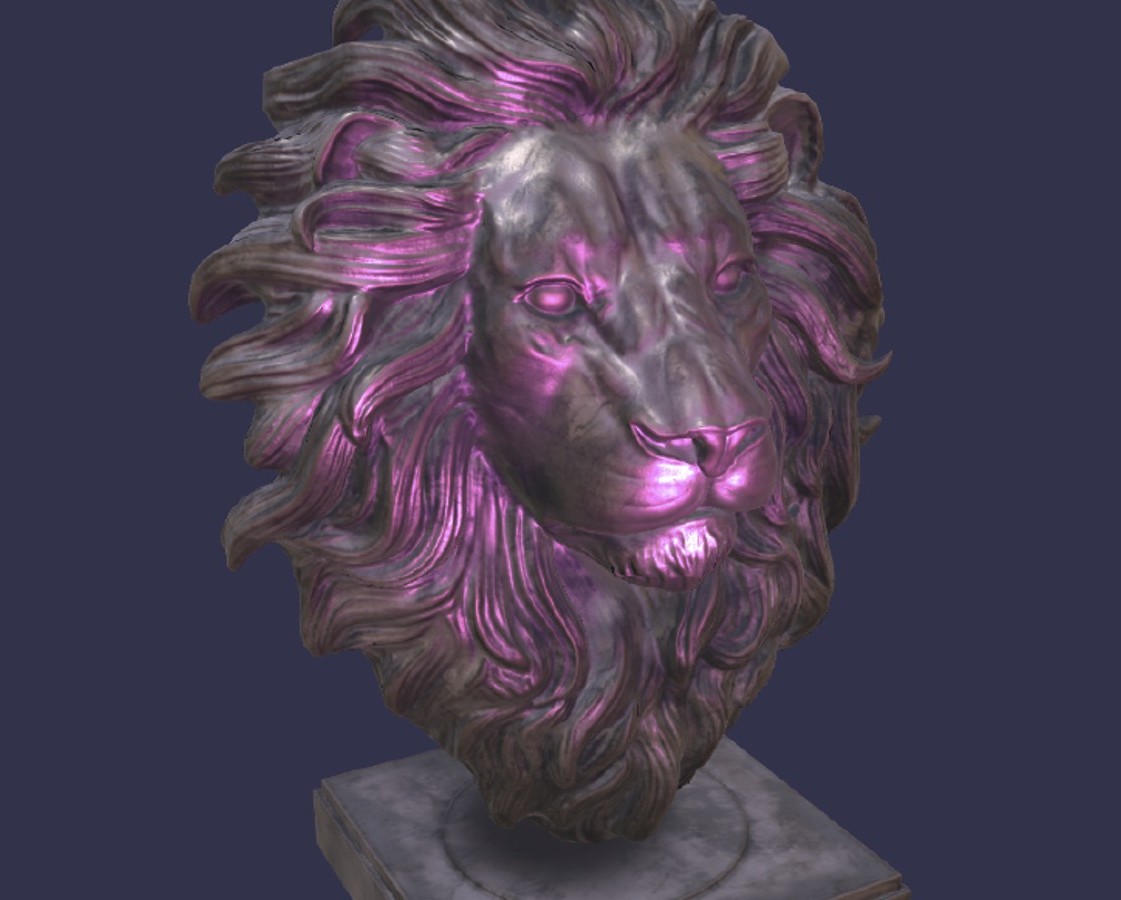
Environmental and directional lights can be switched and recoloured live to bring out surface detail.
Solution developed and its benefits
A structured evaluation of candidate 3D file formats and rendering frameworks led to glTF/GLB, rendered with BabylonJS, as the technical foundation. On top of it, a functional web prototype lets an amateur audience view models and read existing annotations, while an expert authoring mode adds tools for creating annotations, measuring distances, slicing models along an axis-aligned cutting plane, and adjusting lighting.
- runs in any modern desktop browser, no plugins or software installation required
- a single interface that serves both specialist and non-expert audiences
- spatially anchored annotations for contextual, curatorial information
- a measuring tool for geometric properties such as length
- an axis-aligned slicing tool to look inside a model
- material presets and adjustable lighting to inspect surface detail
Results
The prototype was tested manually in the browser against reference models and benchmarked feature-by-feature against established viewers such as Smithsonian Voyager and Versus Digital. It met the project's functional and performance requirements, with several tools going beyond what the compared viewers offer:
- an annotation can save the exact view it was created from. Opening it later restores all tools to the state the view was taken at
- the slicing plane stays visible in the scene as you cut, so it's always clear what is being removed and from where
- lighting supports multiple, individually coloured directional sources instead of a single fixed light
- material presets are built on physically based rendering, so switching a sculpture from bronze to gold stays physically plausible instead of just recolouring it
The next step is real user testing to validate these tools with actual visitors and domain experts.
Key terms
- Cultural HeritagePhysical artefacts and collections preserved and presented by museums and heritage institutions.
- glTF / GLBAn open, web-native file format for storing and transmitting 3D models.
- BabylonJSA JavaScript framework for rendering interactive 3D graphics in the browser.
- WebGLThe browser technology that lets 3D graphics run on the GPU without a plugin.
- Physically Based Rendering (PBR)A rendering technique that simulates how real materials reflect light, for realistic-looking surfaces.
- Digital AnnotationA note anchored to a specific point in 3D space, rather than to a page or document.
- Human-Computer Interaction (HCI)The field concerned with designing interfaces that are usable by both specialists and non-experts.
Team
Rodrigo Martins Goncalves
Isaac Pennock
Supervisors
Julian Steinacher
Lizeth Fuentes
Experts
Hilko Cords