
Interactive 3D Map of Relocation Process
An interactive 3D map platform that supports people during the early stages of relocation. It combines familiar map interactions with immersive 3D elements and light gamification to improve spatial understanding and exploration.

Initial situation
Relocating to a new city often requires using multiple platforms such as search engines, map applications, and housing websites. While these tools are efficient for specific tasks, they often lack spatial context, making it difficult to understand neighbourhoods, distances, and the overall structure of a city, especially during the initial exploration phase. Existing relocation tools tend to focus on efficiency and routing, but offer limited support for exploratory behaviour, spatial orientation, and engagement.
Project goal
The goal of this project was to design and evaluate an interactive relocation platform that:
- Supports spatial understanding of a city and its neighbourhoods
- Encourages exploration and orientation during early relocation stages
- Balances usability and immersion through familiar interaction patterns
- Uses 3D visualization and light gamification without overwhelming users
Avatar Movement
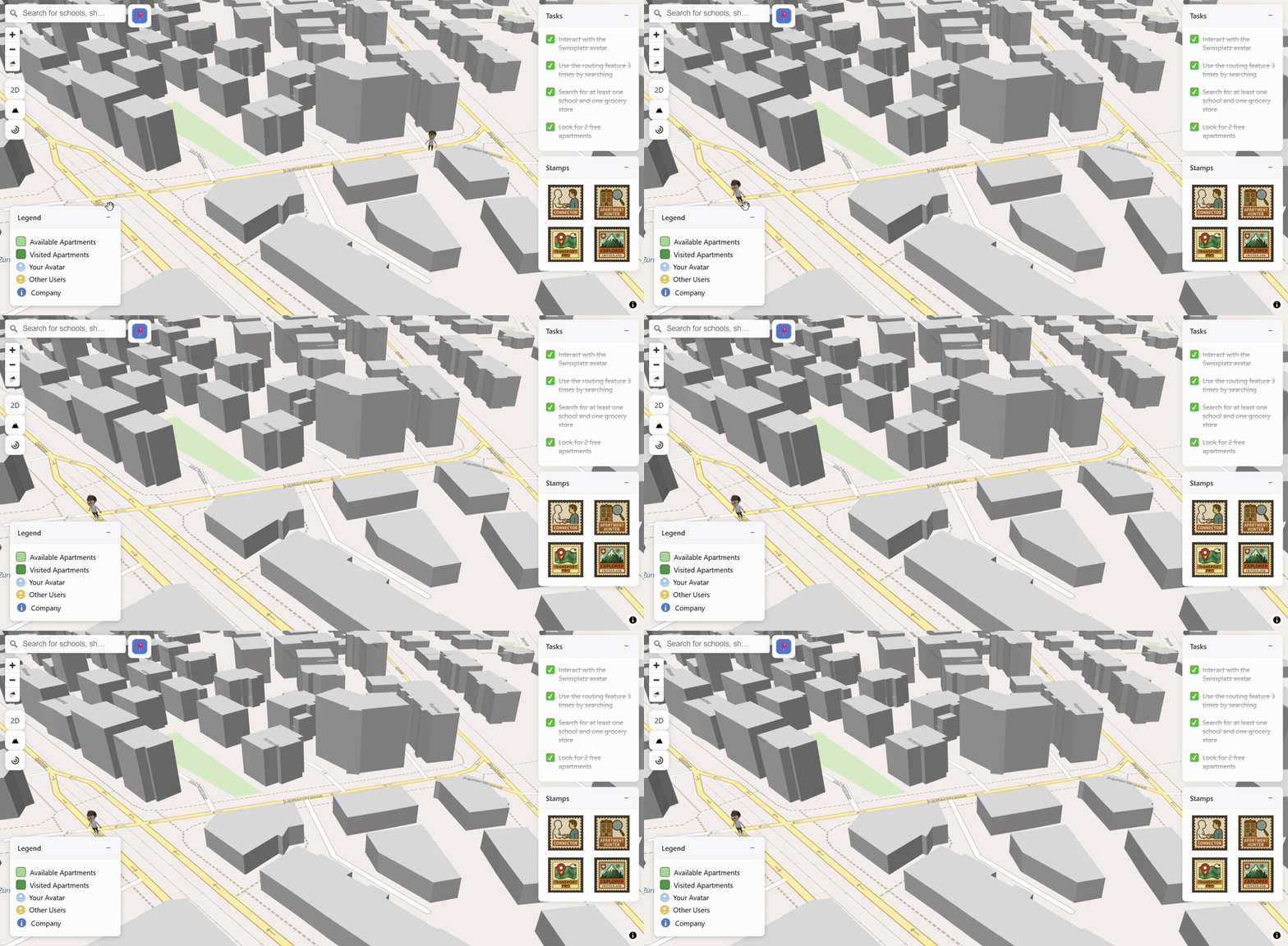
The user avatar automatically moves along a calculated route after a destination is selected on the map. This helps users understand distances, directions, and spatial relationships while maintaining orientation within the 3D environment.
Service NPCs
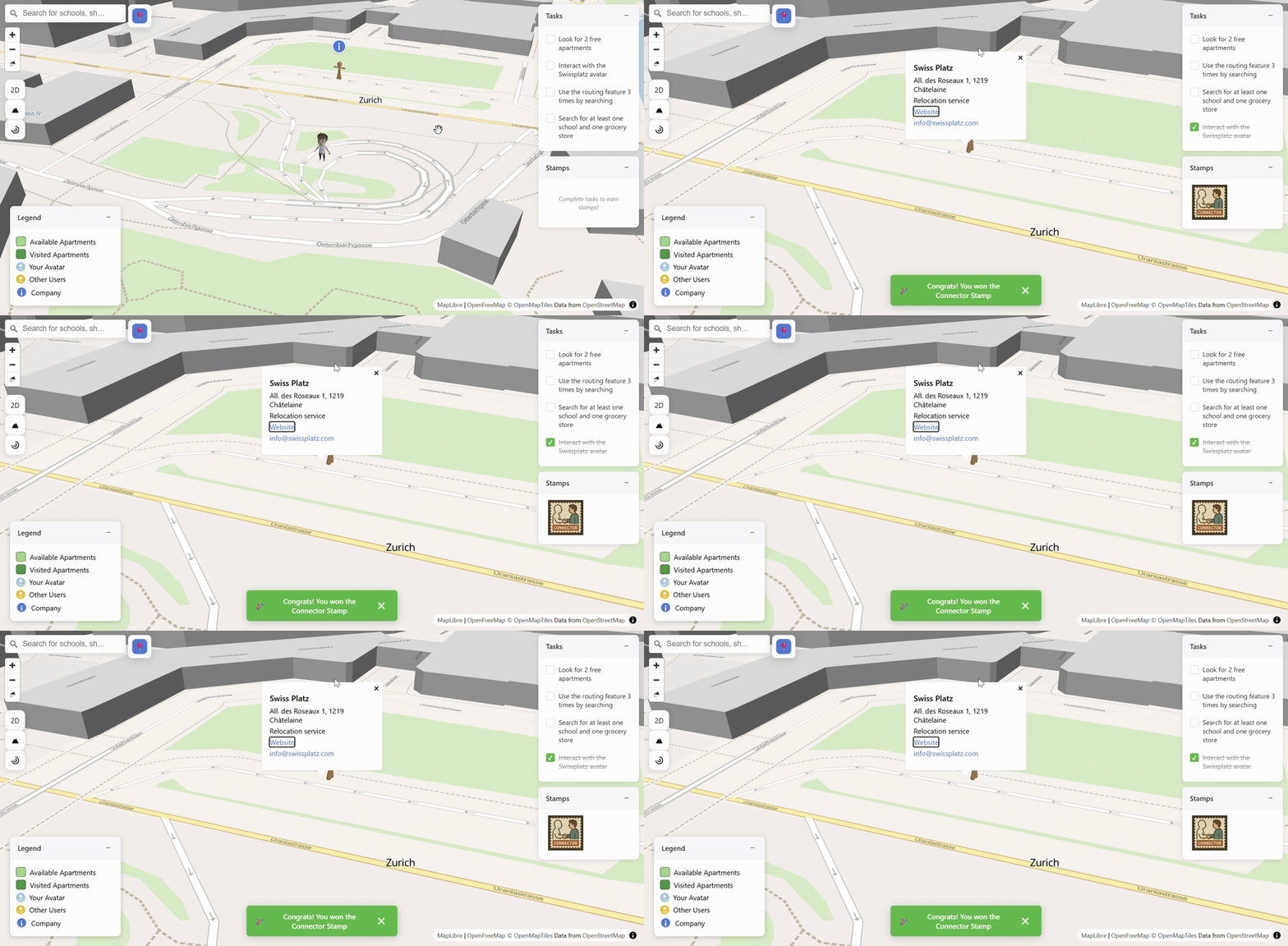
Interacting with a non-playable character (NPC) that represents a relocation service completes a task and triggers a confirmation pop-up. This interaction provides guidance and feedback without interrupting free exploration of the map.
Stamps
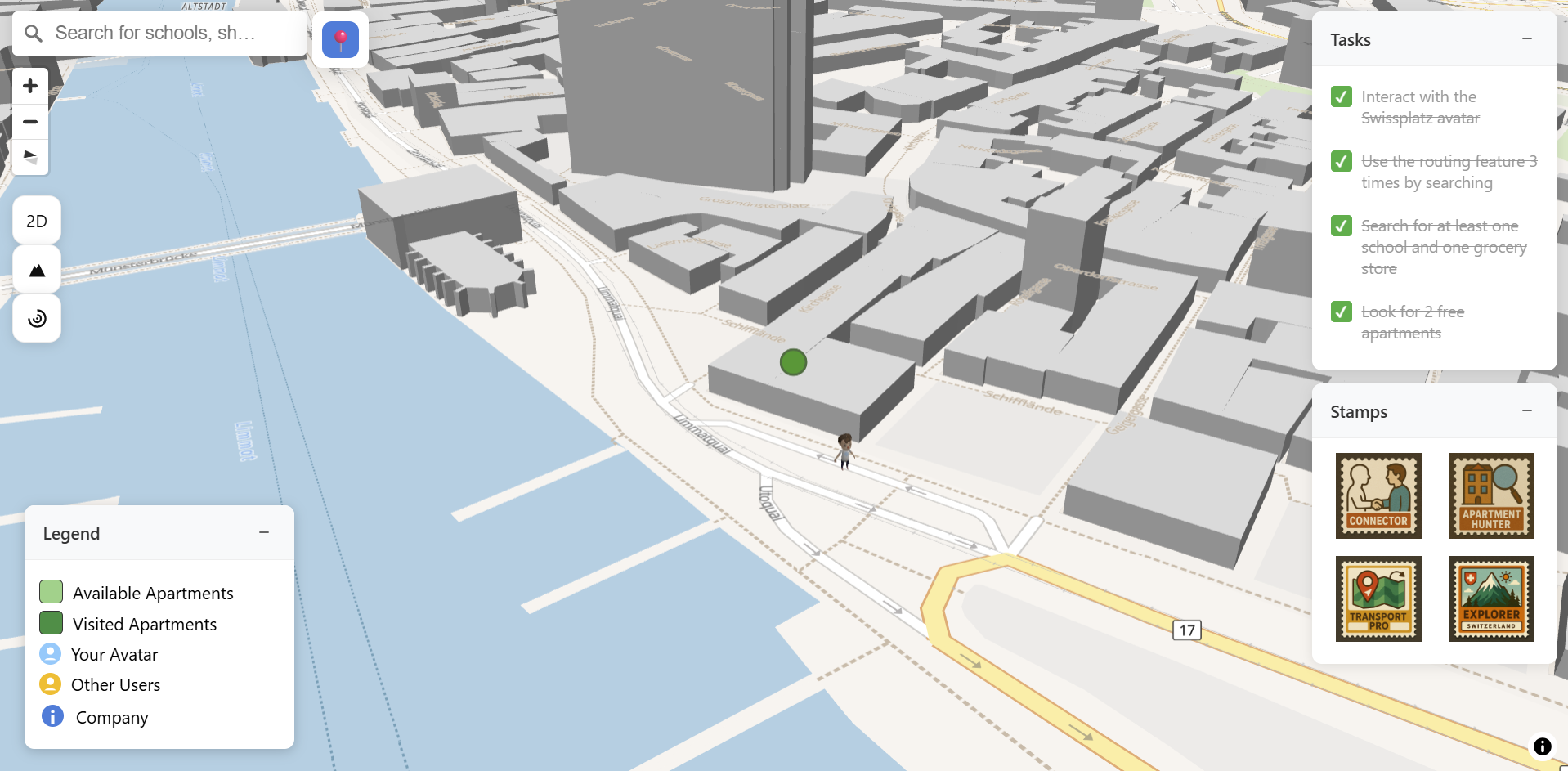
Overview of the task list and corresponding stamp rewards. Tasks introduce users to key platform features, while stamps act as visual feedback that communicates progress and supports motivation during exploration.
Routing Visualization
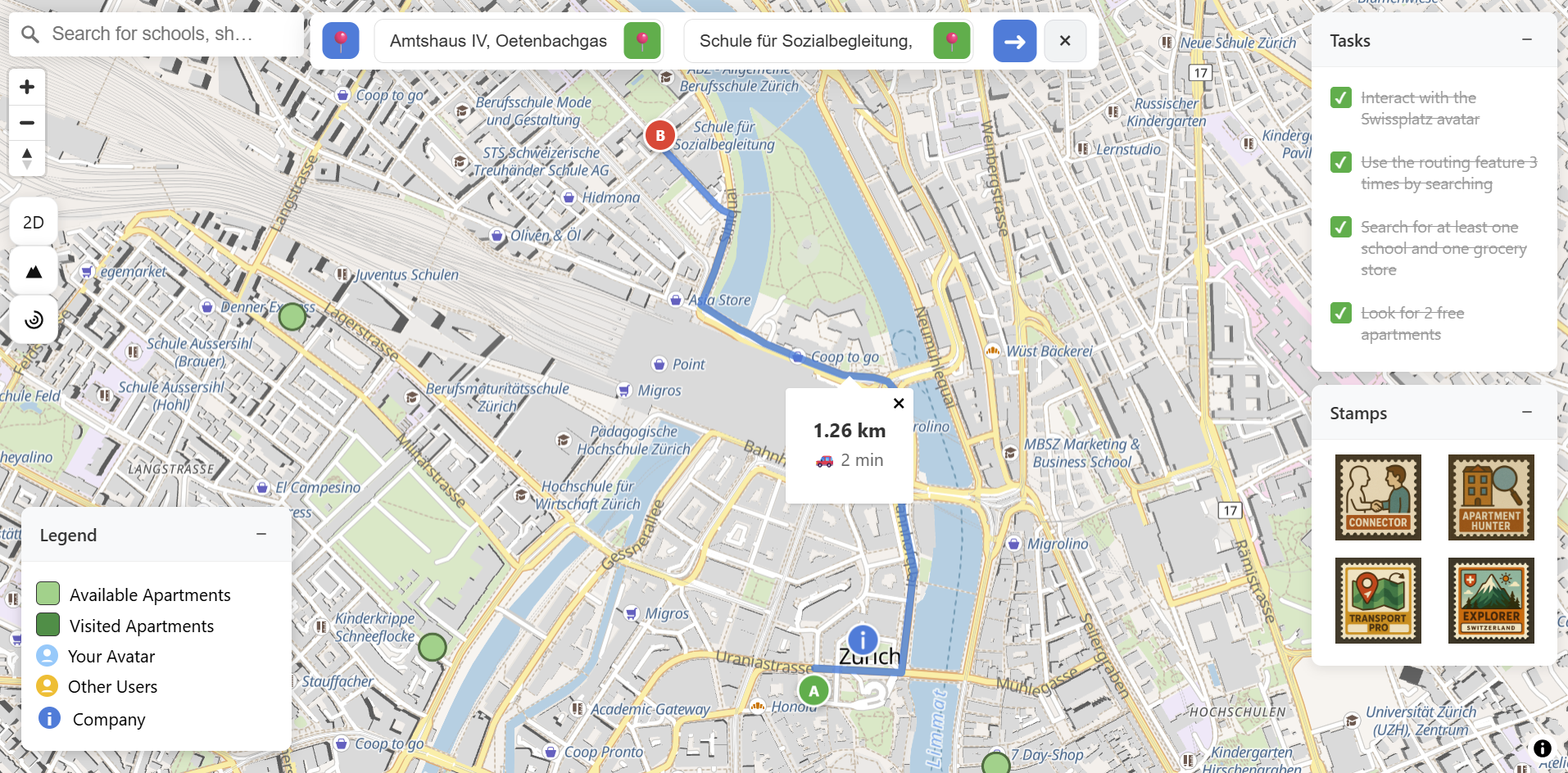
Visualization of a calculated route between selected locations within the 3D map. The route display includes distance information in kilometres and travel time by car.
Find Avatar
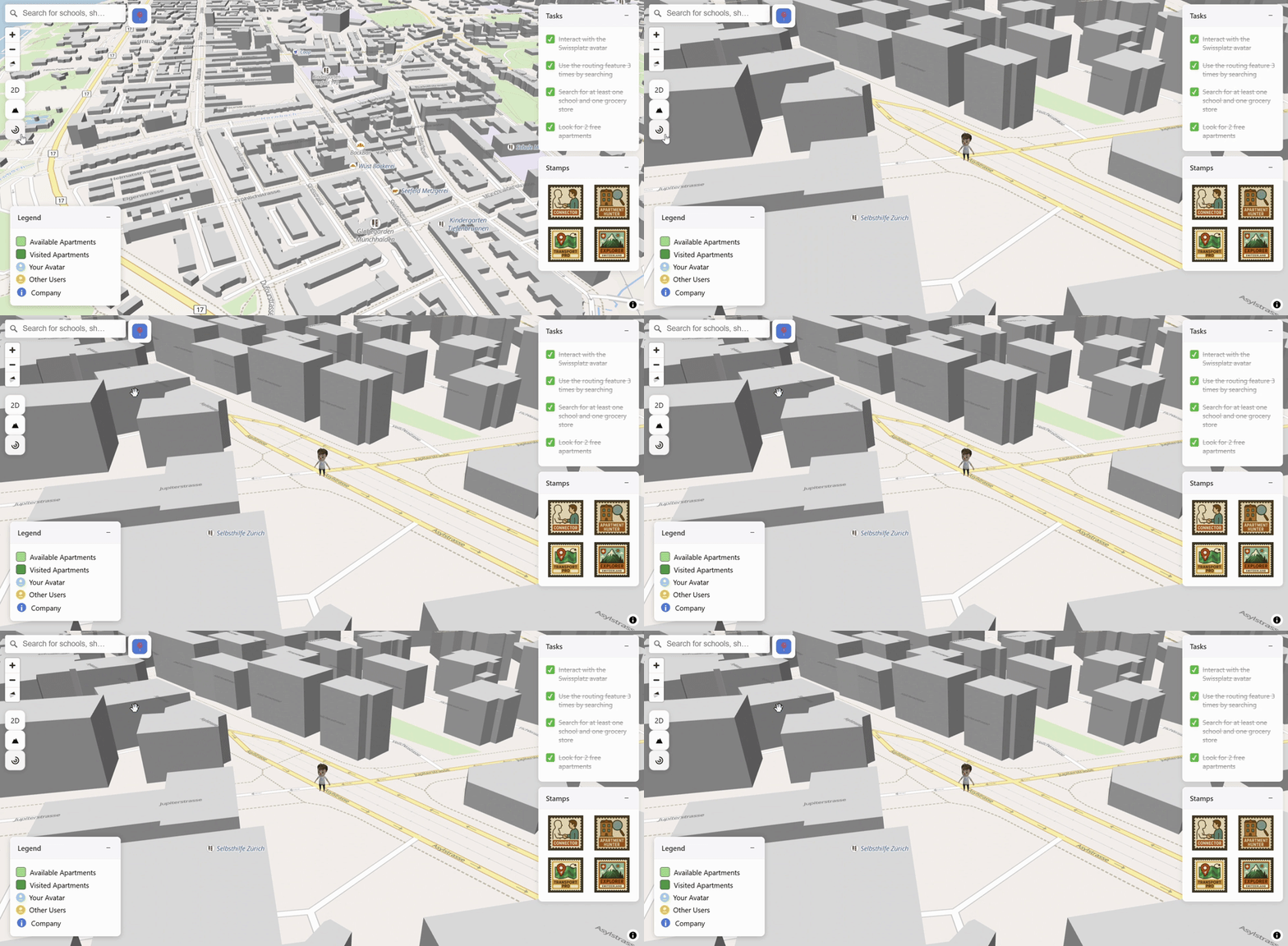
The “Find Avatar” button recenters the camera on the avatar’s current position with a single interaction. This supports orientation within the 3D map and helps users quickly recover their position after free exploration or extensive zooming and panning.
Apartment Information
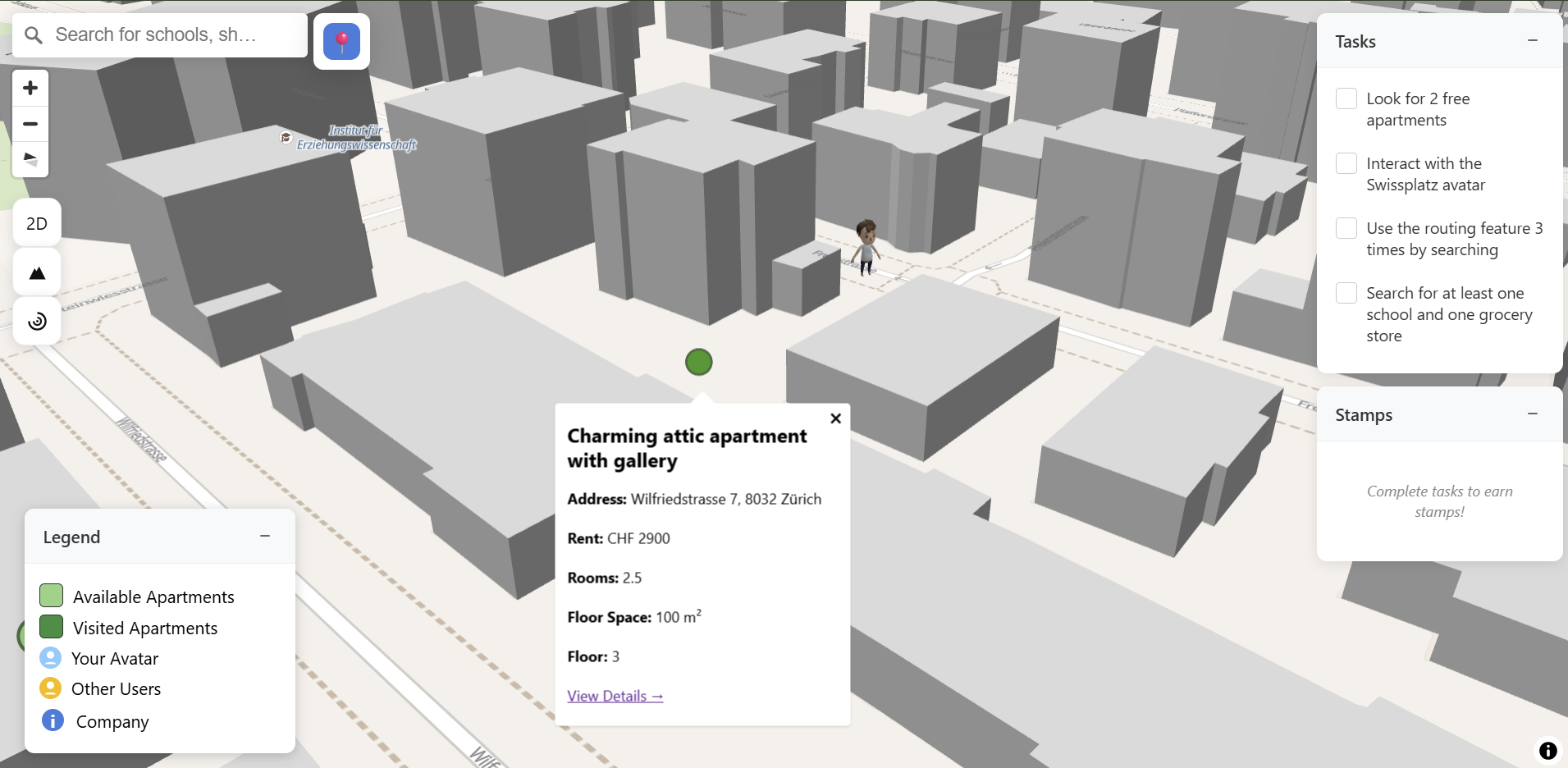
Clicking on an apartment marker opens an information overlay with key details such as address, price, and floor space. The overlay keeps the map visible so users can stay oriented while viewing and comparing apartments.
Solution developed and its benefits
The developed platform combines a 3D city map with interactive and gamified elements to support the early stages of the relocation process.
Core features
- Map interactions such as panning, zooming, clicking on markers, and searching via a search bar
- Animated user avatar
- Non-playable characters (NPCs) that represent relocation services
- Light gamification elements such as tasks and stamps
- Routing feature that allows users to calculate routes
Key benefits
- High usability through familiar interaction patterns
- Improved spatial understanding with 3D buildings that help users perceive building height, density, and neighbourhood structure
- Controlled immersion with immersive elements such as 3D buildings, avatars, and NPCs
- A personalized exploration so users can freely explore the city or focus on goal-oriented tasks
- Light gamification with tasks and stamps to encourage engagement and exploration
Technologies
The platform was implemented as a web-based interactive application using modern mapping and visualization technologies. This includes basic web technologies such as HTML, CSS, JavaScript and Three.js for custom 3D elements. MapLibre GL JS was used for rendering of the interactive map, including camera control, user interaction, and integration of 3D element. OpenStreetMap (OSM) was used for geospatial data source for streets, buildings, and points of interest.
Key terms
- 3D Map VisualizationA map representation that includes depth, building height, and perspective, allowing users to perceive the city as a three-dimensional environment rather than a flat surface.
- Spatial UnderstandingThe ability to comprehend spatial relationships between locations, such as distances, building heights, neighbourhood structure, and proximity of services.
- UsabilityThe degree to which users can effectively, efficiently, and comfortably complete tasks within the system without unnecessary effort or confusion.
- GamificationThe use of game-like elements such as tasks, rewards, and visual feedback to increase engagement, motivation, and exploratory behaviour.
- Exploration vs. EfficiencyThe balance between free, open-ended exploration of the city and task-focused, goal-oriented interactions such as searching for apartments or planning routes.
- Interactive MapsMaps that allow users to actively engage through actions such as panning, zooming, clicking on elements, and triggering interactions, rather than passively viewing information.
- MapLibre GL JSFor rendering the interactive map, managing camera control, user interactions, and integrating 3D elements seamlessly.
- OpenStreetMap (OSM)Open-source geospatial data used for streets, building footprints, points of interest, and other urban features.
Customer

SwissPlatz
Byung Yun Cho
Allée des Roseaux 1
1219 Châtelaine
SwissPlatz
Team
Michelle Rickenmann
Selina Lanz
Advisor
Kevin Kim
Nitish Patkar