
KnowledgeMatch
The KnowledgeMatch App empowers students to overcome
learning challenges by providing a smart, intuitive platform that connects peers and experts for real-time support, fostering
collaboration, independence, and a stronger academic community.
Initial Situation/Problem statement
Students often struggle to find timely and effective support when facing learning challenges. Traditional support channels, such as email or forums, are often slow, impersonal, or limited in reach. There is a lack of dynamic platforms that allow students to easily connect with peers or experts nearby for real-time help and collaboration. As a result, many learning problems remain unresolved, leading to frustration and inefficiency.
Project Goal
The project aims to enable students to exchange knowledge and support among students. By offering a smart user interface, students can easily connect with peers and experts to solve their learning problems. The app will provide a convenient and efficient platform for problem-solving and collaboration, significantly enhancing the student learning experience. Initially focusing on local campus connections, there should be the opportunity to expand for other universities in the future.
Login and Profile
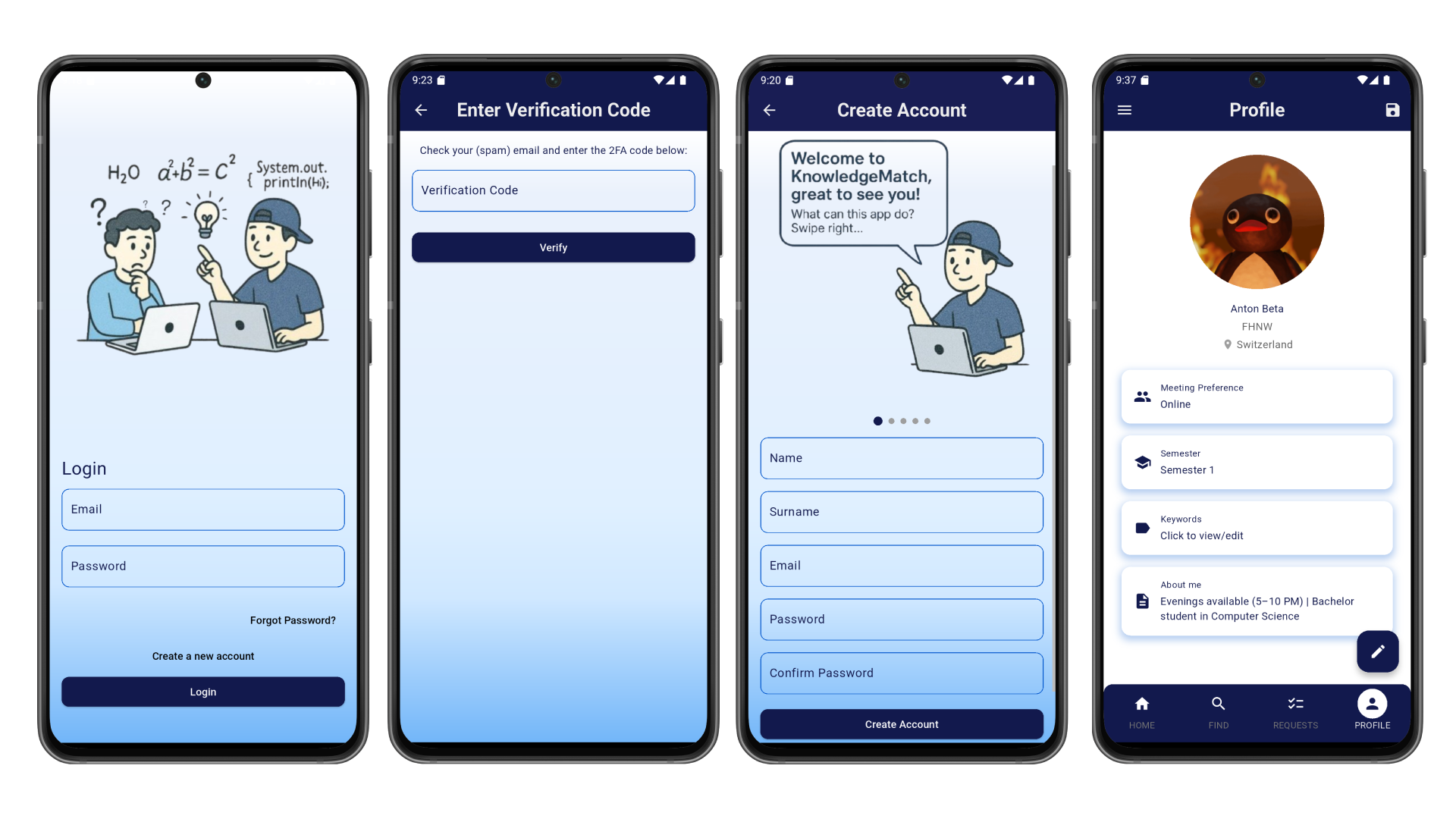
This section shows the account setup and login flow of the KnowledgeMatch app. It includes a login screen, code verification, and account creation, along with a clear description of the app’s features, explanations of its capabilities, the meaning of the tab bar icons, and a personalized user profile.
Find experts and send requests
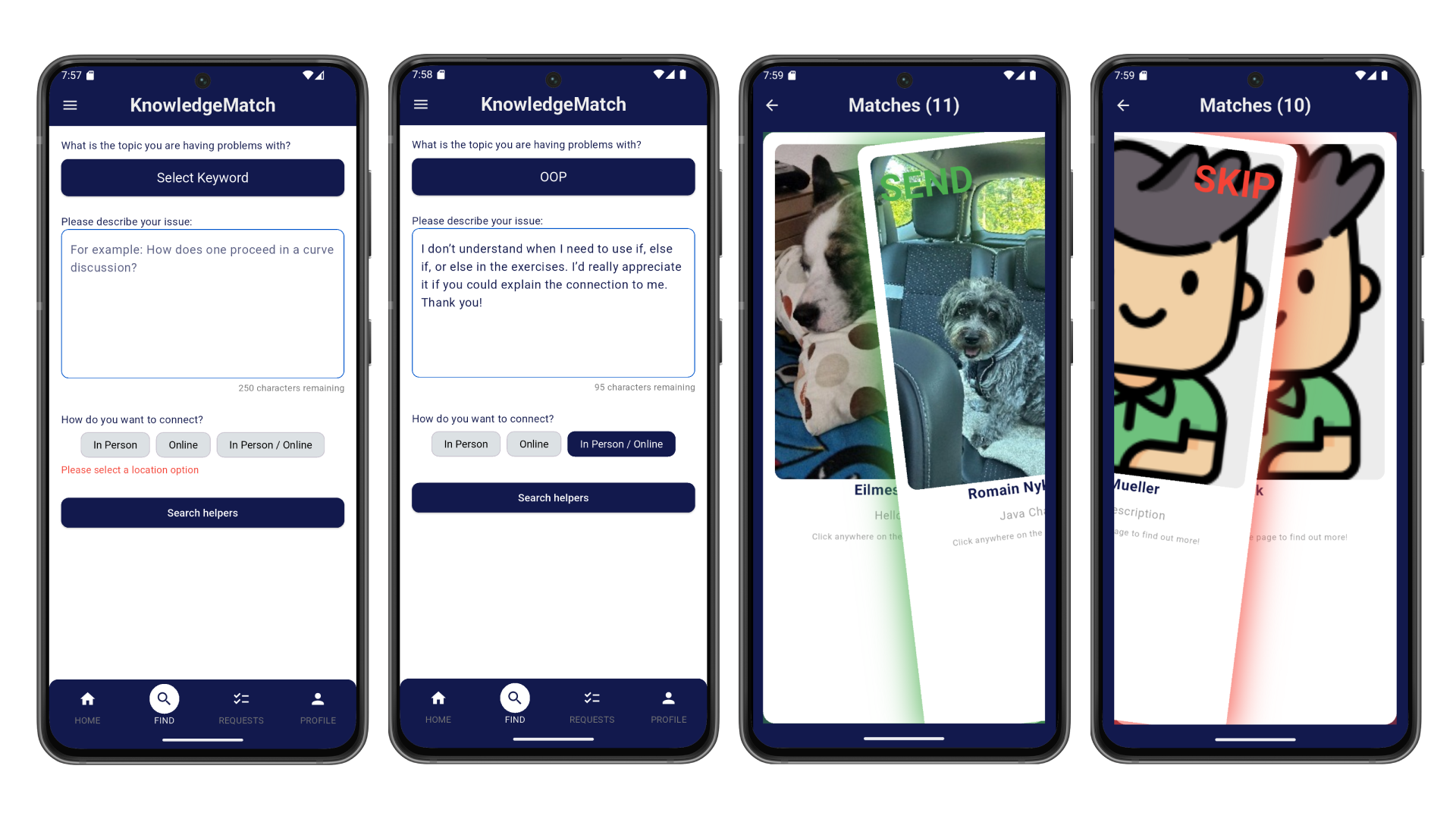
Students start by choosing a topic and giving a short description of what they need help with. They can then decide how they’d like to connect — either in person, online, or both. Once they send their request, the app shows potential helpers nearby. From there, students can swipe through profiles and either send a request to someone who fits their needs or skip to the next one.
Request Management
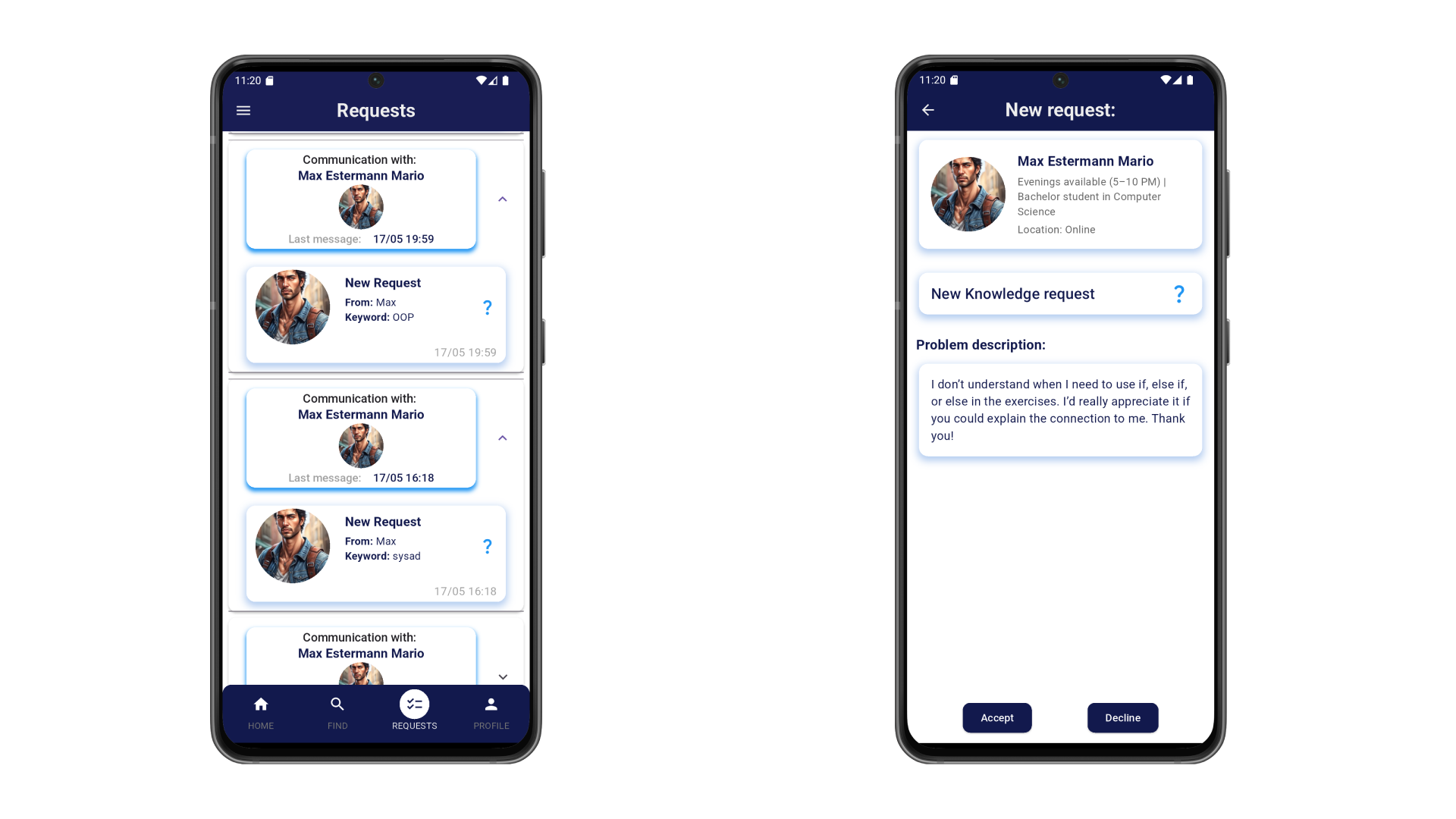
All open requests are displayed on the requests screen. Afterwards, they can either be accepted or declined. Once a request is accepted, a date and time are set, and it appears on the home screen as a planned request.
Developed Solution and its benefit
Imagine a student struggling to understand a difficult concept, with no access to tutors or classmates. With our mobile application, they can instantly connect with peers nearby who are available to help -right from their phone. This not only saves time and reduces frustration but also creates a sense of community and shared progress among students.
Key improvements and benefits include:
- Smart matchmaking system to connect students based on subjects and availability
- Intuitive swipe interface for fast and easy matching
- Campus-based proximity filter to prioritize local connections
- Cross-platform: Currently for Android, but in the future also for iOS
This tool strengthens student networks, promotes active knowledge exchange, and enhances the overall learning experience at universities.
Testimonial
«Working with the student team on the KnowledgeMatch app was an outstanding experience! From day one, the team showed incredible dedication, creativity, and professionalism. They fully immersed themselves in the vision, quickly understood the core problems students face, and translated these into innovative, user-friendly solutions. I was particularly impressed by how professionally they handled the entire process—from understanding the needs, developing innovative features, to iterating based on feedback. Their proactive communication, strong technical skills, and openness to improvement truly stood out. It was amazing to see how they continuously improved the app based on real user need. The final result exceeded my expectations and clearly reflects the passion and talent of the team.»
Melanie Kropp
Key terms
- UI/UX ToolFigma
- Programming languagesFlutter, Dart, Javascript
- Frontend StackFlutter
- Backend StackJavascript, Firebase, Fastlane
- DatabaseFirestore, Maria DB
- Deployment PlatformAndroid, iOS
Customer
Melanie Kropp
Team
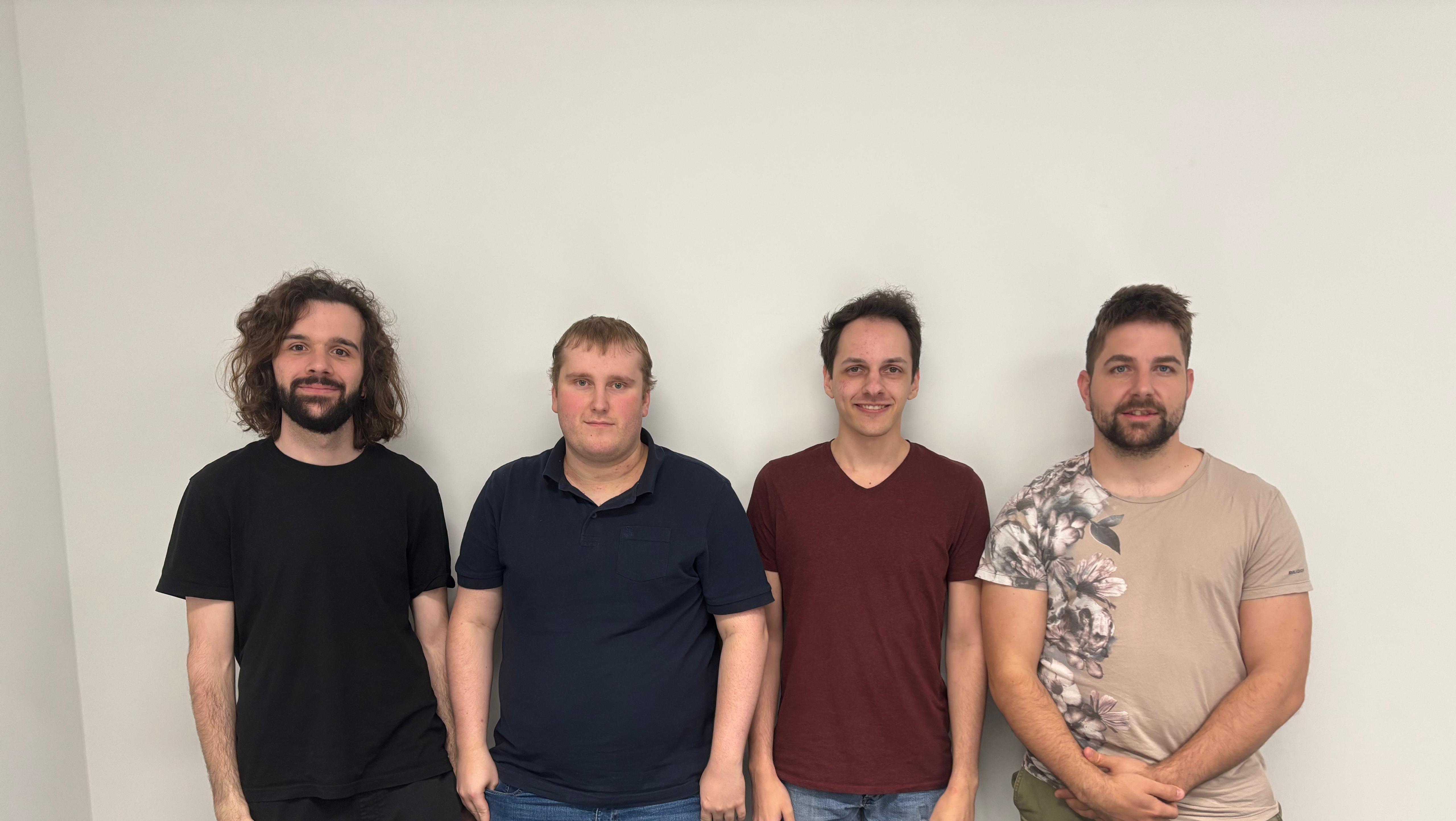
Team
Robin Hartmann
Sven Christen
Dario Müller
Daniel Zimmerli
Ali Cengiz (IP3)
Coach
Norbert Seyff