
Power System Monitoring
A smart web app for power system monitoring: visualize data, manage units, connect devices, and integrate seamlessly with a standardized API for efficient and customizable operation.
Renato, physics professor and director of the physics laboratory at the FHNW institute of
mathematics and natural sciences, and Vipluv, research associate at the FHNW institute for
electrical power engineering, are part of a research group which started developing a flexible
IoT data analytics platform to modernize power electronic systems. These
systems, essential for electric conversion in applications such as electric vehicles, wind
turbines, and motor drives,
aim to use predictive analytics to reduce inefficiencies and downtime. The platform features
dataloggers for data
collection and a cloud-based setup for advanced analysis.
Despite their advancements, Renato and Vipluv together with their research group find that
integrating and monitoring these systems remains challenging.
They struggle with data visualization and system diagnostics tools that are not user-friendly.
Furthermore, their
efforts to implement predictive fault detection underscore the need for better machine learning
integration and more
effective visualization tools, highlighting the importance of a more efficient and intuitive
solution.
Project Goal
The goal of the Power System Monitoring project is to on build a comprehensive monitoring tool designed to gather data from a variety of devices and provide visual insights into their operational status. At the heart of the platform are two key elements: a scalable deployment infrastructure and a standardized API. This API plays a pivotal role in enabling seamless data collection from multiple device types, channeling this data into a central repository (i.e. data lake) for further analysis and visualization of device health.
Add new view in sandbox mode
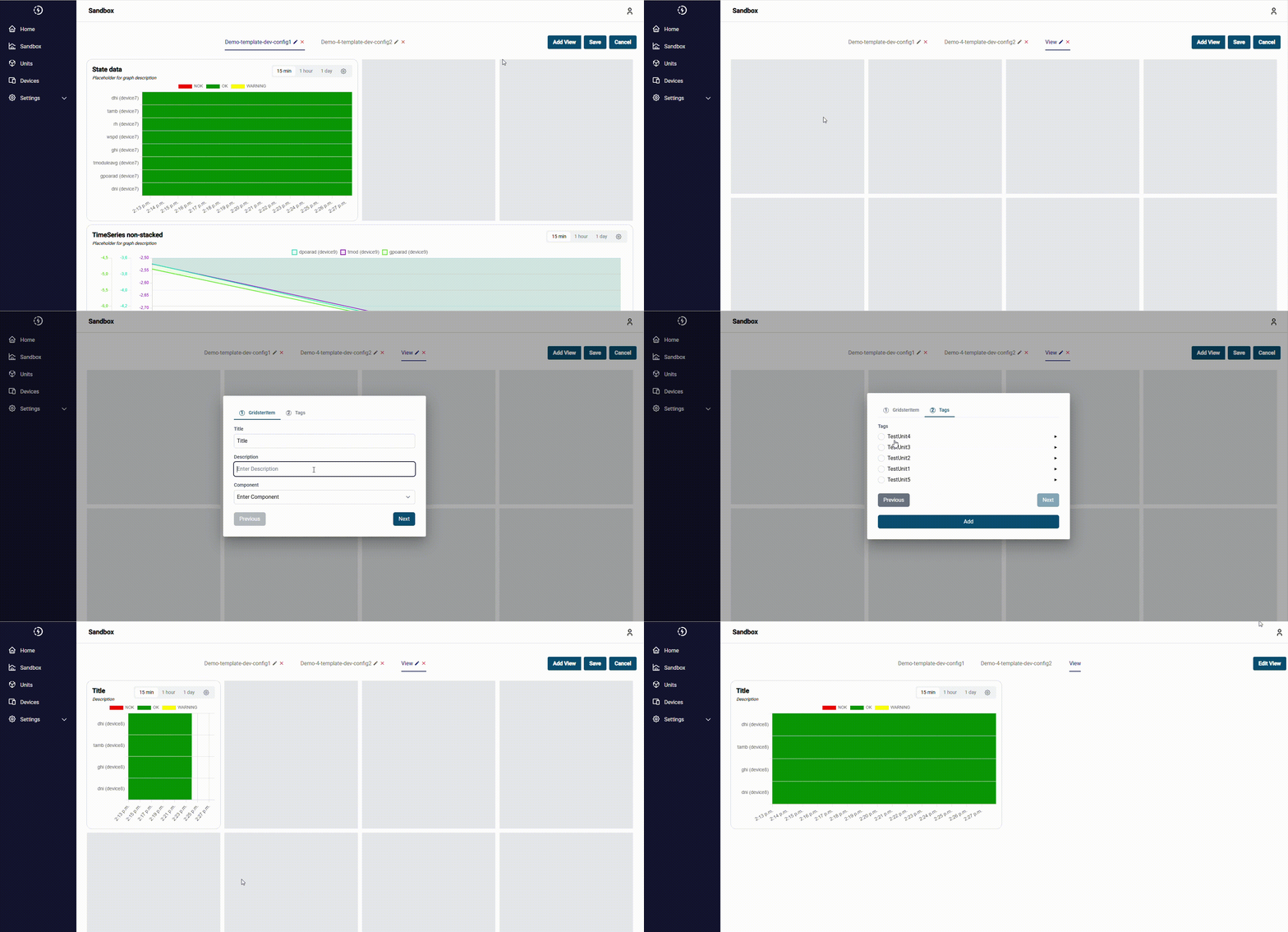
Users can add or edit views in sandbox mode which will be saved in memory to comply with user administration as normal users should not be able to change templates.
Add new graph to view
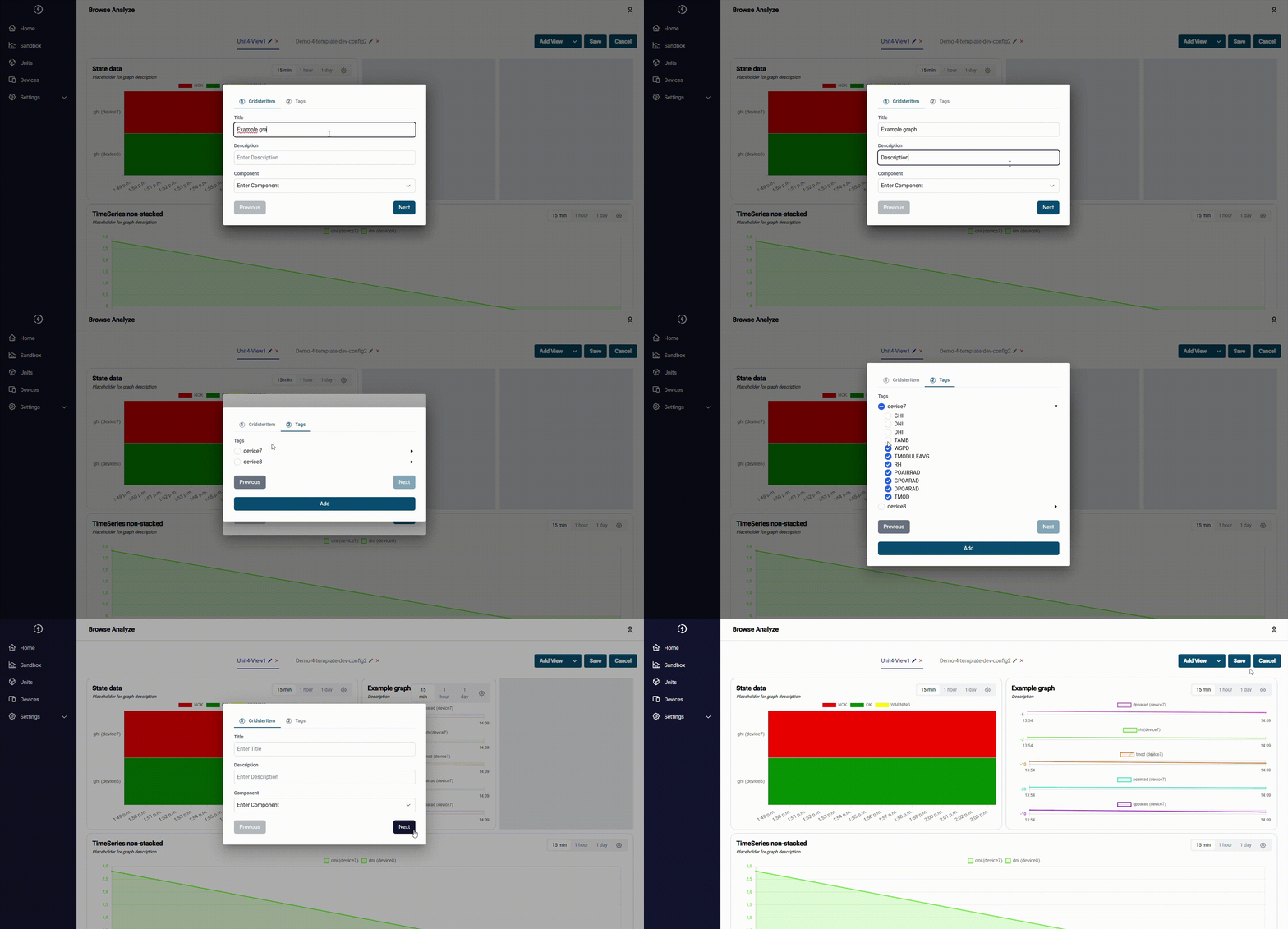
Users can add new graphs to the view with selected devices and tags.
Navigate to Unit view
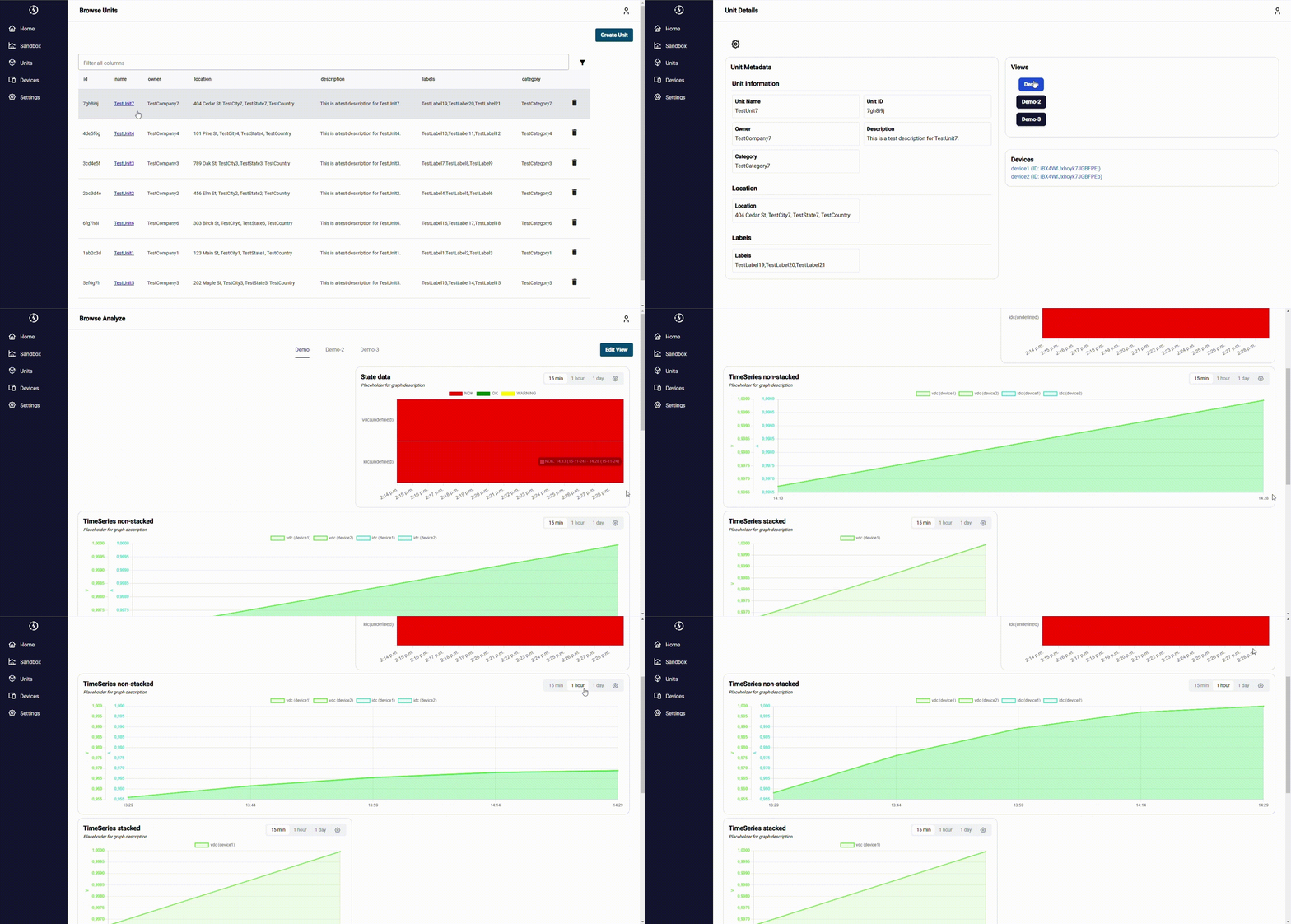
Users can navigate to views of a unit. The view shows the visualized data.
Edit view
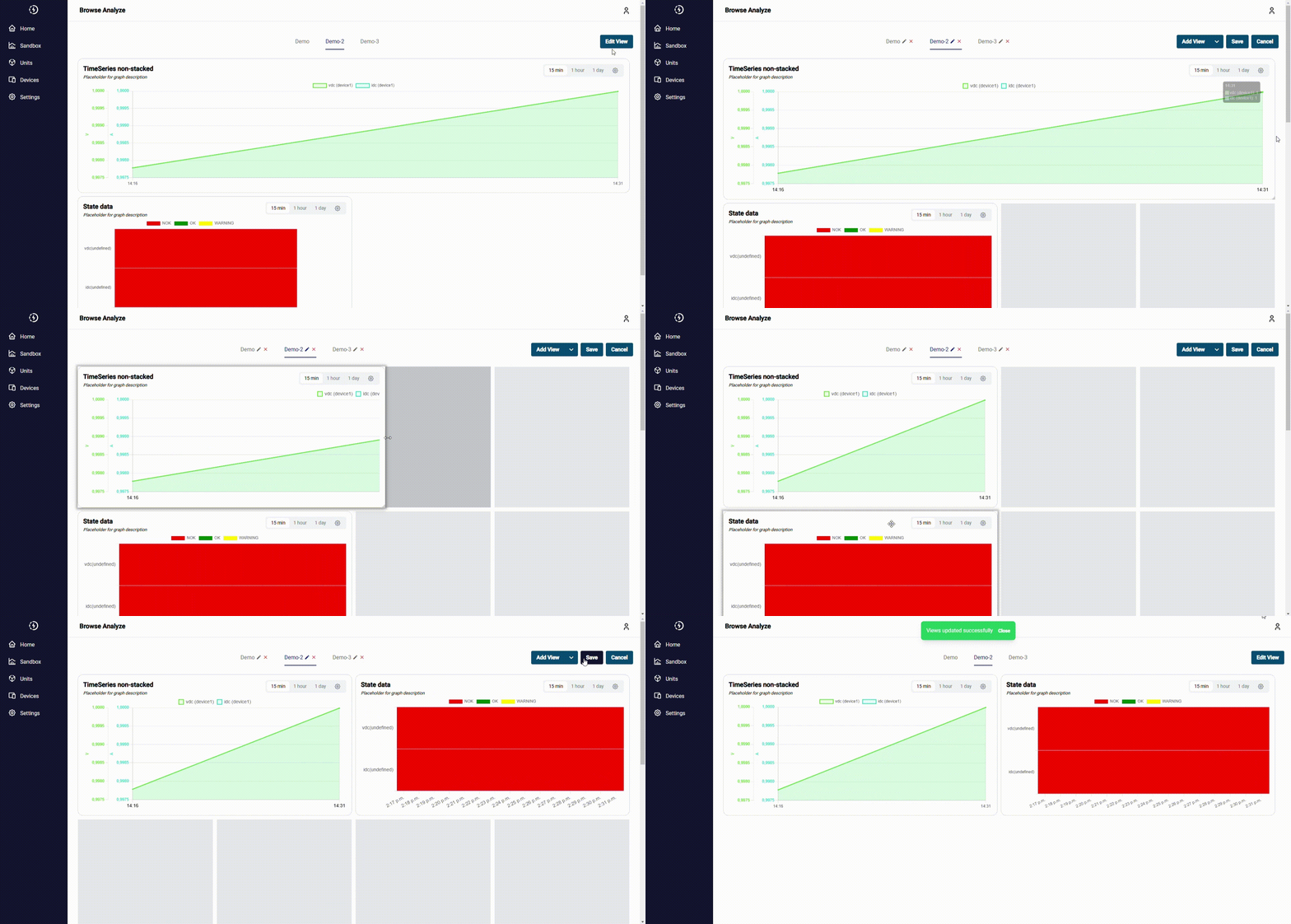
Users can personalize views, change diagram size and positioning and also add new diagrams.
Show device information
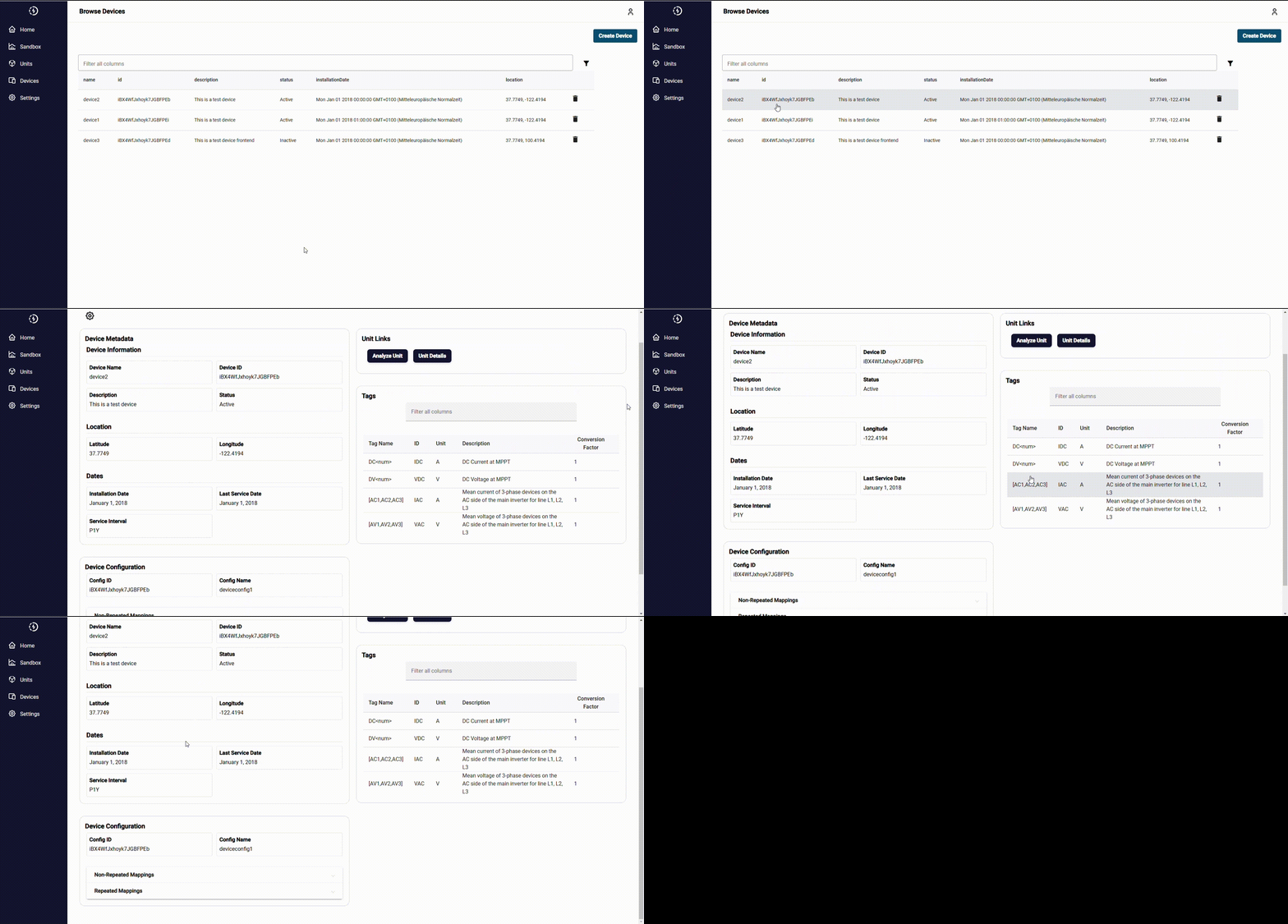
Device information can easily be viewed.
Developed Solution and its benefit
The developed solution is a web application that provides a comprehensive overview of connected units and devices. Users can monitor the state of their systems, add and connect new devices, and create customized visualizations to prioritize critical insights. A standardized API simplifies the integration of new data, ensuring seamless communication, flexibility, and easy transmission of both state and time-series data to the frontend for analysis. The platform further enhances usability with features like customizable visualizations and reusable templates, allowing users to design tailored graphs and streamline the data visualization process.
- Visualization of state and time-series data: Users can easily visualize both state and time-series data, with seamless data transmission to the frontend for analysis.
- Customizable visualizations: The platform allows users to tailor visualizations, enabling them to prioritize and identify more urgent leads effectively.
- Creating templates for visualizations: Users can design templates specifying the types of graphs and data they want to visualize, streamlining the customization process.
- Adding new units and devices: The system makes it simple to add new units and devices, as well as connect devices to existing units effortlessly.
- Creating or editing views in sandbox mode: Users can experiment with view templates in sandbox mode without making permanent changes. This ensures that templates remain unchanged by users with limited permissions, while still allowing them to preview how the templates would look with the proposed modifications.
- Standardized API: The standardised API provides documentation that makes it easy to send a wide variety of data to the frontend, which makes the application very flexible.
Testimonial
«The Power System Monitoring Tool has made it easy to oversee our devices, with centralized data collection and clear visual insights into performance and health. The scalable infrastructure and standardized API simplify adding new devices, making monitoring more efficient and effective.»
Renato Minamisawa
Key terms
- UI/UX ToolFigma
- Programming languagesJava, Typescript
- Frontend StackAngularJS
- Backend Stack Quarkus
- Deployment PlatformAll OCI Container Engines
Client

Prof. Dr. Renato Minamisawa
Dr. Vipluv Aga
5210 Windisch
www.fhnw.ch
Team
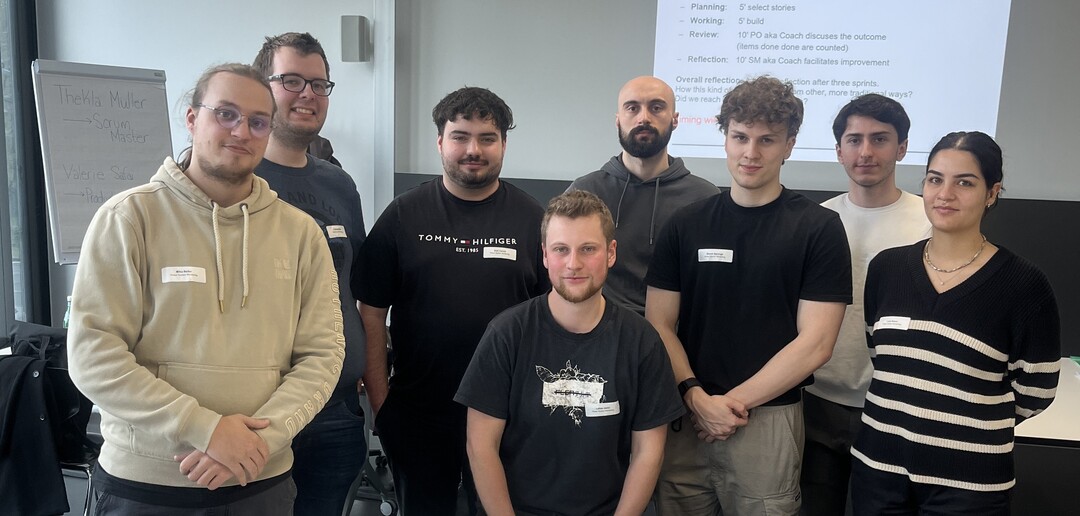
Team
Mika Reiter
Christoph Möri
Axel Carroll
Lukas Jenni
Benjamin Dätwyler
Simon Sprüngli
Muhammed Boz
Luca Bravo
Coach
Thekla Müller