
DigitalNavigator
The DigitalNavigator is a methodological approach in the broad field of project management. It provides a solution for consultants and their customers to assess the efficiency and sustainability of project goals. This contributes to driving the project forward.
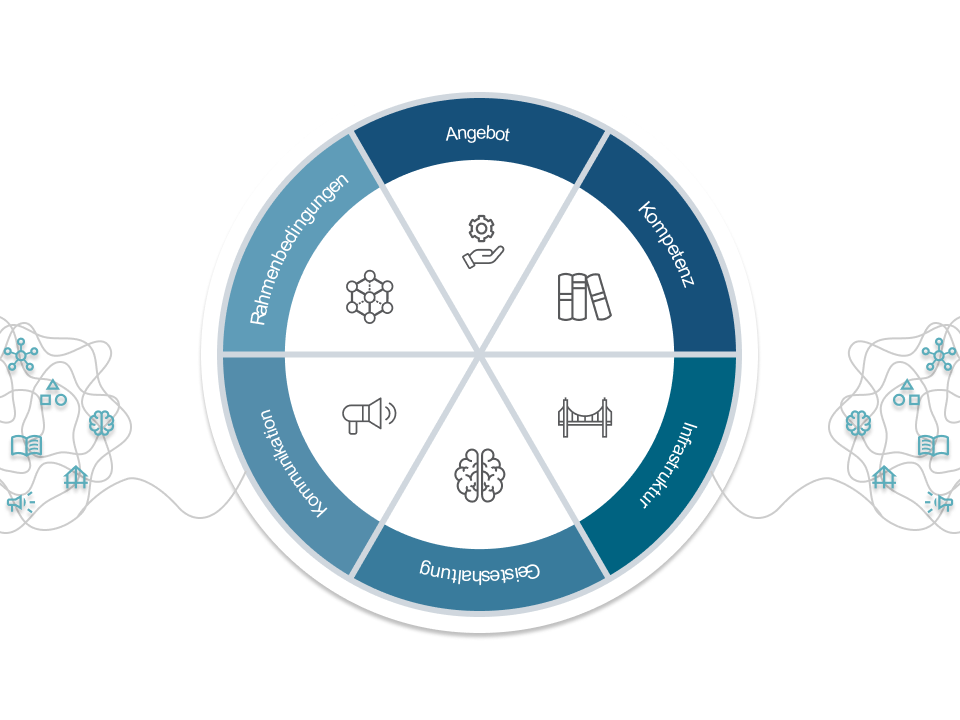
Initial Situation/Problem statement
Project management is one of the core competencies of consultants. At Generis AG, consultants work on a wide variety of projects for even more diverse clients in the areas of economic and habitat development as well as business development.
Let's take the scenario where a town want to transition to green energy. The scope of a project like this is immense. The following initial questions may arise: What are the framework conditions? What skills are available? What additional infrastructure is needed?
In order to manage all this information and present it to the customer, a consultant is not ideally equipped with a pen, paper and PowerPoint.
Project Goal
With the digital solution "DigitalNavigator" as a web application, we want to provide consultants with a tool with which they can optimally manage projects. The aim is to increase efficiency and transparency regarding the project status and improve sustainability.
Home Screen
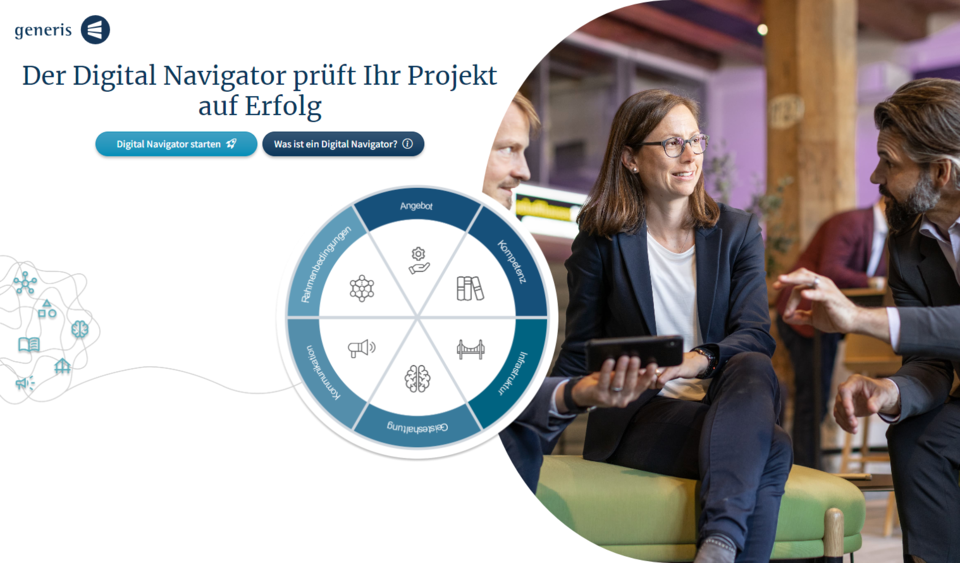
On the Home Screen, potential customers can start the initial Digital Navigator or view an explanation of the idea behind the DigitalNavigator.
Project Description
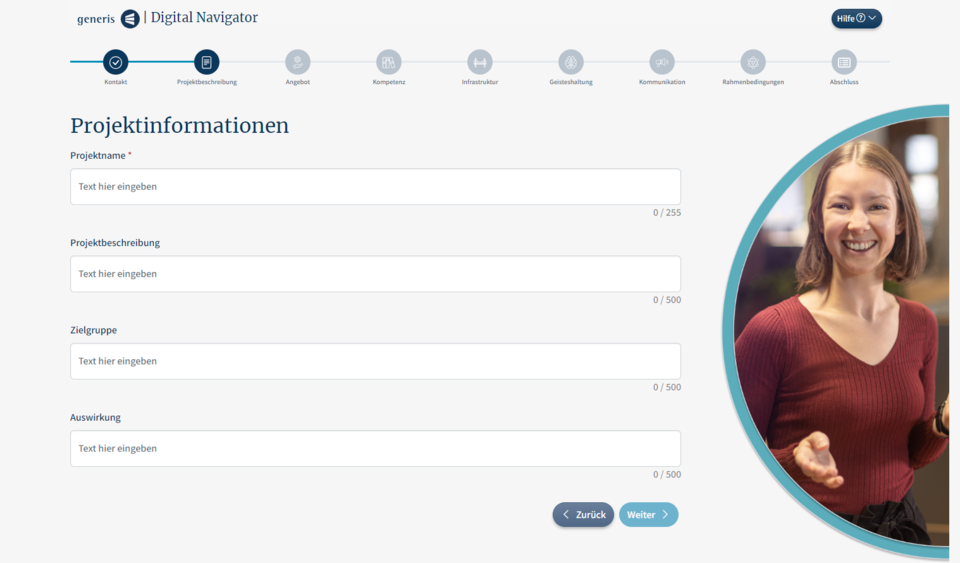
In the "Project Description" step, you can give your project a name, describe it and specify the target group and impact.
Initial Navigator
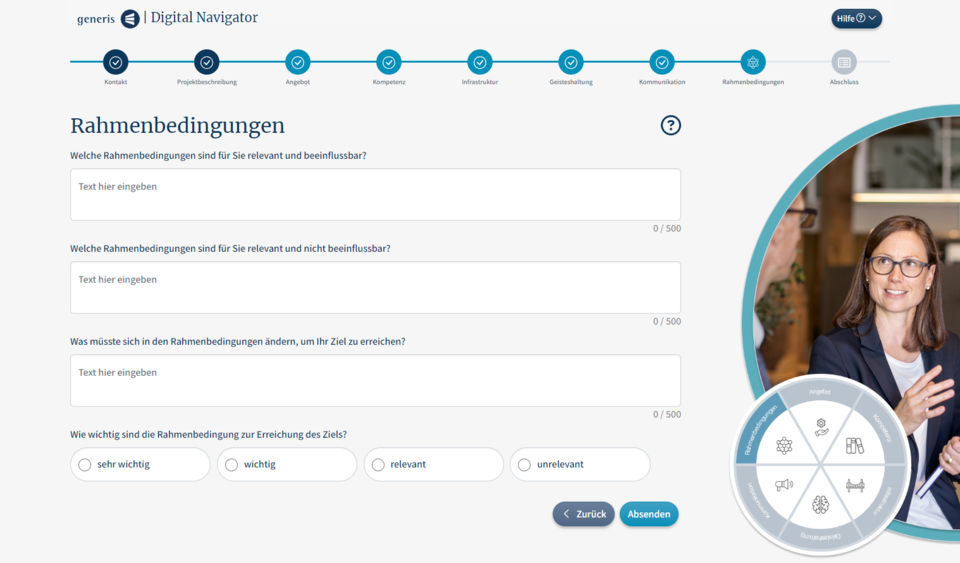
In the six main steps of the Initial Navigator, customers can enter various information about their project according to the category (here: Rahmenbedingungen) using free text entries and single-select options.
Consultant Dashboard
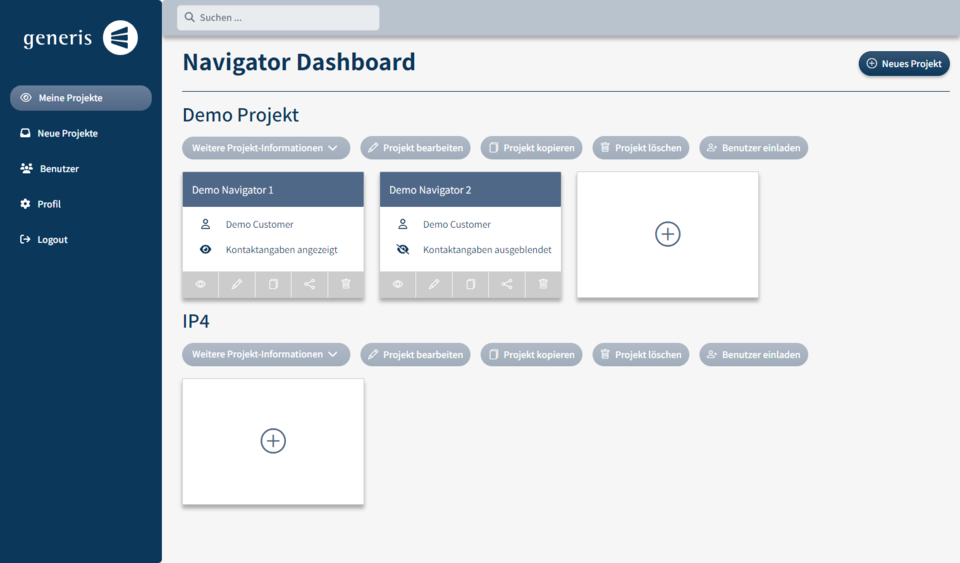
In the dashboard consultants can manage all their projects and navigators, whether by creating new ones, editing existing onses, or deleting completed projects or navigators. The navigators are displayed as tiles within the project.
Navigator Answer View
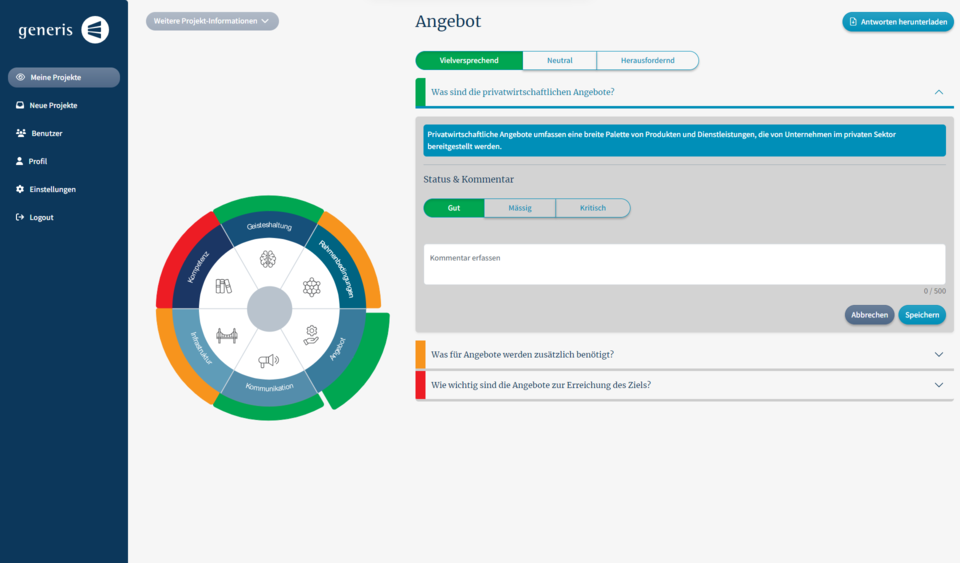
In this view consultants can rate given anwsers from the costumer as good, appropriate, or inadequate, and comment on them. A pie chart on the left, centered around the Generis Navigator, serves as a traffic light system, signaling whether attention is still needed in specific categories. This view is also visible to customers after they have completed the Initial Navigator
Edit Navigator
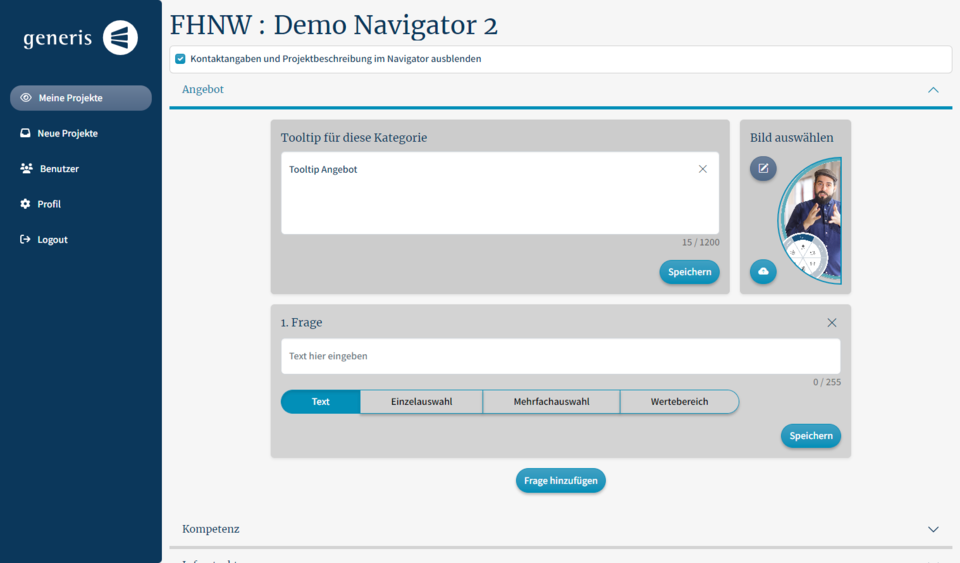
A navigator can be edited in the dashbaod using the pencil icon. Here the consultant can create new questions for the Navigator. They can choose between five different question types. It is also possible to describe the category and upload a suitable image for each category.
Developed Solution and its benefit
The DigitalNavigator is providing customers with optimal and customized advice for their projects. The application can also be used as an acquisition and marketing tool to attract new customers. The following functions and features make the application special:
General:
- Simple and user-friendly design.
- The application is mobile-friendly.
- Appropriate error messages appear if the customer or consultant is not using the application correctly.
For consultants:
- The consultants can easily manage their projects in the dashboard.
- They can create, delete and copy new projects and navigators. They can also edit navigators and add further questions. A link to acess the navigator can conveniently be copied to the clipboard and sent to the customer by e-mail as an example.
- The consultants can create individual questions and choose from four different question types: Free text, single selection, multiple selection or a range question.
- The consultants can customize a navigator with images that match the project topic in order to adapt it even better to the customer.
- Projects are assigned to consultants, and it is possible to invite several consultants to a project, for example to stand in during vacation periods. If there is no corresponding authorization, the message "Missing authorization" is displayed.
- Unassigned navigators are displayed under the menu item "Neue Projekte". Navigators that have been completed by the customer's initial navigator appear here and there consultants can asign themselves new projects.
- The consultans can reset their own password in the profile view.
- The consultants with an admin role can manage users by customizing their name, email or phone and by assigning roles.
- The consultant website is protected by a login.
For customers:
- When entering contact and project information, the customer is supported by input validation.
- When filling in the digital navigator, the customer always knows where he is and receives feedback on the category via the stepper.
- The Generis Navigator is always visible for the customer.
- The Navigator Anwser view is also visible to customers with read authorization, offering an overview of critical areas and highlighting the action within each category.
Testimonial
«It was a real pleasure to work with this diverse group of students. From day one we felt that our project was in excellent hands and we were constantly surprised at the creativity, energy and dedication of the team. We are completely satisfied with the outcome and highly recommend the skills of this team.»
Patrik Li
Key terms
- UX/UI DesignFigma
- Programming languagesTypeScript, Java
- Frontend StackAngular, SCSS, HTML
- Backend StackSpring Boot
- DatabasePostgreSQL
- Deployment PlatformMetanet
Client

Patrik Li
8200 Schaffhausen
Website of Generis AG
Team
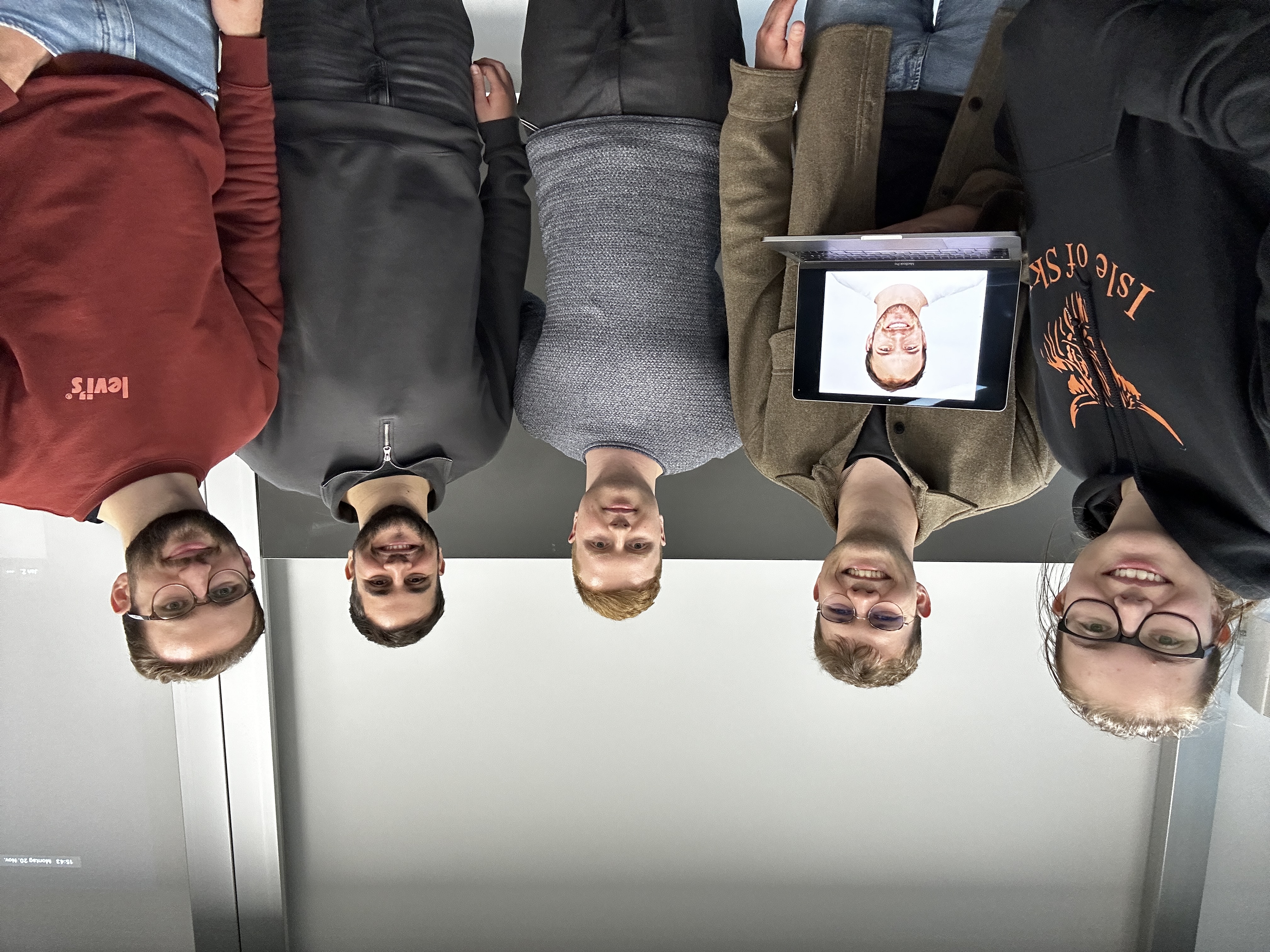
Sven Ziörjen studied abroad during the IP4. He participated in the team photo virtually as a result.
Team (left to right)
Noel Burkard
Salvatore Cuppuleri
Julien Jungo
Jan Zimmermann
Sven Ziörjen
Carmen Koch
Agile Coach
Norbert Seyff