
Athlete Performance
Azum is one of the leading coaching platforms for athletes that works with a metabolic profile, providing athletes with a new landing page.
Initial Situation/Problem statement
Analyzing the athlete's training plan, which is used to create a metabolic profile, is at the heart of Azum. The presentation and analysis of the metabolic profile is very precise and meticulously presented. Therefore, it takes a lot of clicks and knowledge to understand the profile. Generally, it is too complex to get a quick overview. Accordingly, the metabolic profile is not designed to be user-friendly. Summing up, the focus is on the range of functions. Many athletes want a simplified and user-friendly presentation of their current training.
Project Goal
The aim is for athletes to be able to immediately recognize whether their training has been carried out correctly with just one click and a glance. A new landing page is to be programmed that displays a simplified overview of all sports planned by the coach. The athlete should be able to change the displayed time period. The presentation must be simple and understandable for the coaches and athletes and enable them to start the next training session with the right motivation.
Components
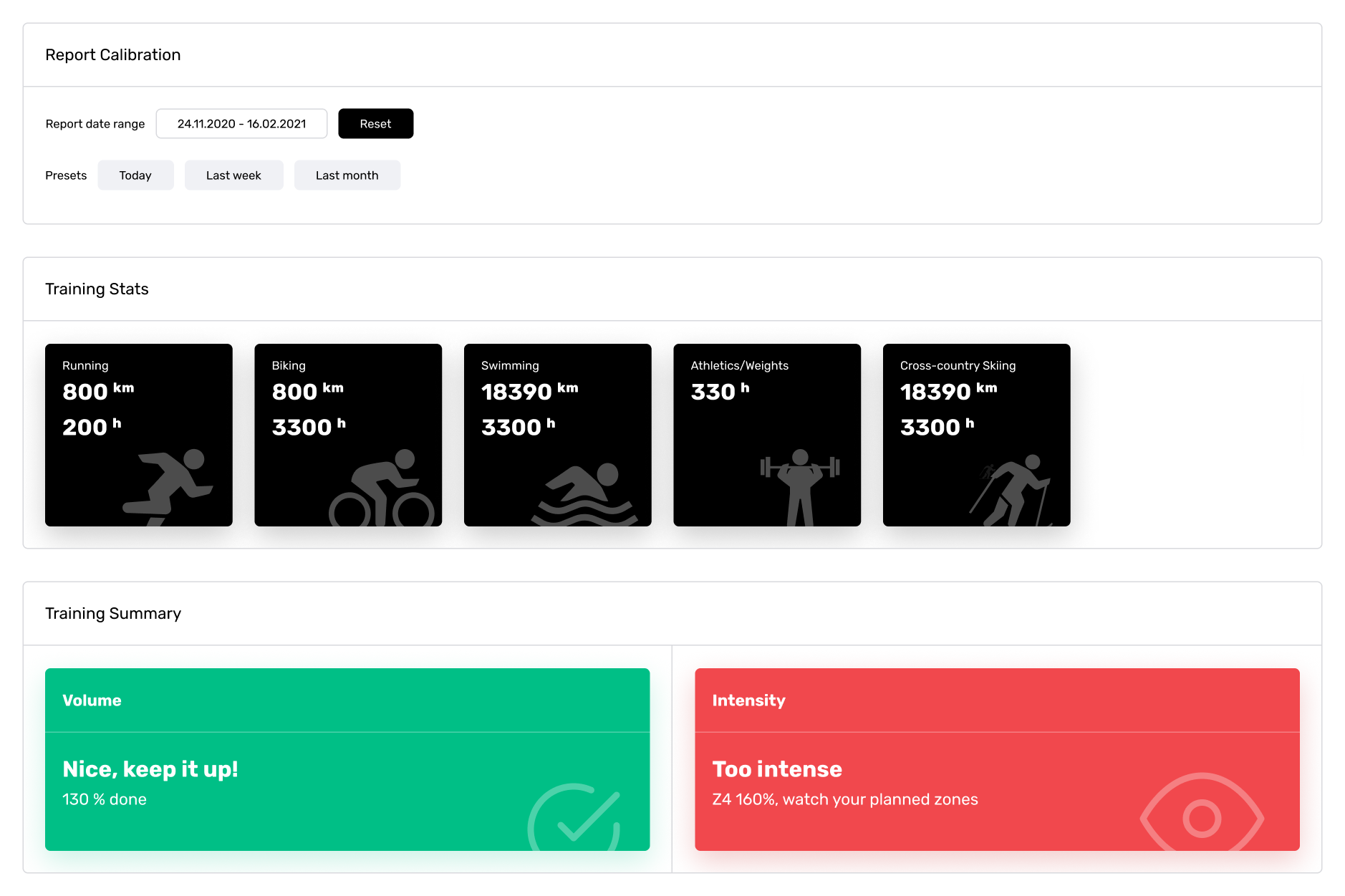
New summary components include the new selection for the displayed time period, a summary of all training stats per sport and the training summary with dynamic selection of the displayed sets.
Doughnut Charts

With the help of the new doughnut charts, the planned types of sport are split into volume and intensity. It is immediately clear in which areas you have achieved which progress.
Reporting page
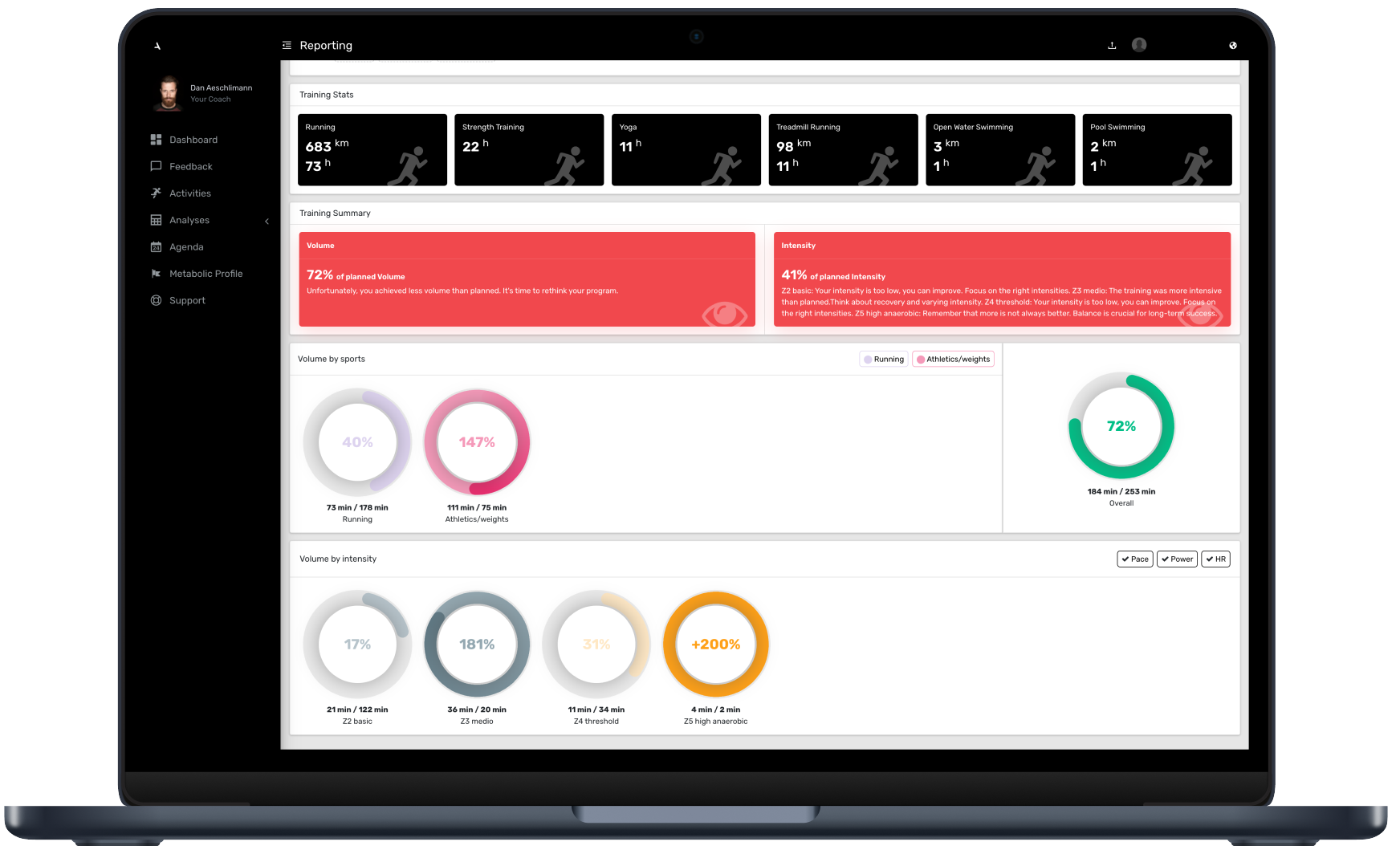
This is what the new reporting page for the athletes on the Azum website looks like. Athletes can now see all the important information about the newly created components at a single view.
Developed Solution and its benefit
The dashboard displays a comprehensive summary within the Azum product. Here, athletes access all the sports scheduled by their coach for a specific timeframe.
These activities are visualized through donut charts, showcasing their volume and intensity. This allows athletes to monitor their training progress and adherence to the coach's plan. The charts become darker in colour if the athlete exceeds their planned targets.
There is a summary that directly summarises the volume and intensity and displays it as a percentage.
Last but not least, the athlete can also see the hours invested in the various sports in the selected period, regardless of the volume and intensity of the sport.
Features Reporting Page:
- animated donut charts
- display of sports by volume
- display of sports by intensity
- setting the displayed time period for the dashboard
- filter options by sport
- filter options by intensity zones
- display of the total volume of all sports together
- dynamic calculation of the volume chart
- display of the time spent for all sports performed
Athletes benefit from a direct and graphical analysis of their training sessions. They no longer have to click through different graphics and several pages to get an overview. They immediately receive a nice reporting page where everything can be found in one place.
Testemonial - Azum
"The FHNW team did a great job! As a coach, I can now manage my athletes better. The athletes immediately recognise whether their training is effective. The innovative new features in our software make a big difference. The project realisation went smoothly, from the graphic development to the integration of the entire backend. I am extremely satisfied with the results and the professionalism of the team. Thank you very much for the excellent cooperation!"
Azum - Dan Aeschlimann
Testemonial - Evidence
"It was a very positive experience to work with the enthusiastic team at the FHNW. The students independently familiarised themselves with complex existing software, designed and developed a new module and integrated it into production. The ability to create innovative solutions has created real added value for users. Working with this motivated team was not only fun, but also led to a successful outcome."
Evidence - Peter Spörri
Key terms
- UI/UX ToolFigma
- Programming languagesJavascript, Typescript, Python
- Frontend LibraryVue3
- Backend LibraryDjango
- Testing FrameworkDjango, unittest
- Styling LibraryAzum design system
Customer

Azum system AG
Dan Aeschlimann
Rautistrasse 61
8047 Zürich
Team
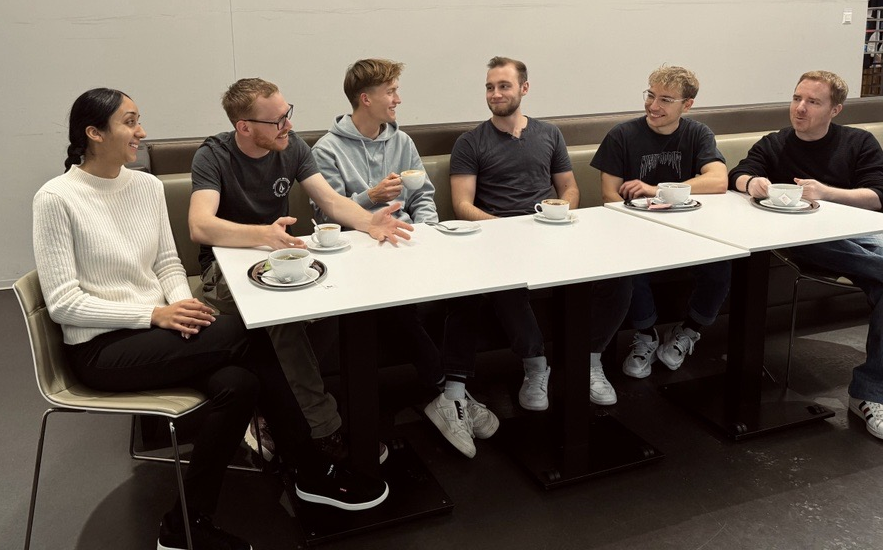
Team
From left to right:
Amrit Kaur, Marek Giesen, Sven Piek, Tobias Sturzenegger, Florian Bolliger and Silas Hellinger
Agile Coach
Silvan Zurbrügg